1DevTool: The Developer Cockpit I Built Because I Was Drowning in Windows
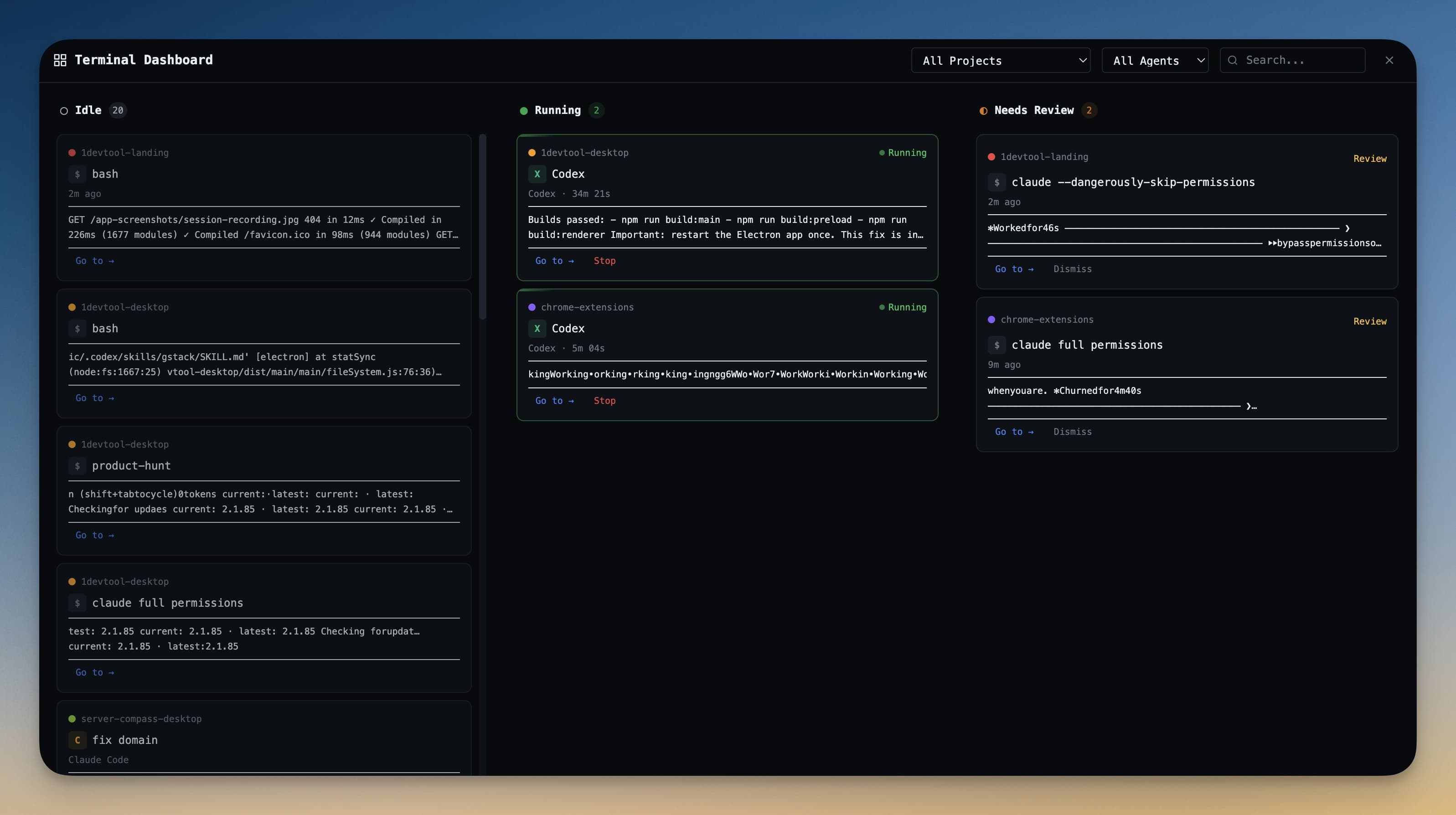
I was running Claude Code, Codex, and Gemini CLI in three different terminals, plus VS Code, Chrome, Postman, and TablePlus — just to ship one feature. So I built 1DevTool: one window per project, every AI agent in one place, everything persists.
The Setup That Broke Me
Here's what my screen looked like on a normal Tuesday morning in 2026:
- Terminal 1 — Claude Code debugging a database migration
- Terminal 2 — Codex rewriting a batch of integration tests
- Terminal 3 — Gemini CLI generating a new API module
- VS Code on the second monitor, reviewing what the agents produced
- Chrome, with the running app preview
- Postman, for the endpoints that just got rewritten
- TablePlus, to verify the migration actually applied
Seven windows. One feature. And every time I closed my laptop, half of that context just… evaporated. Scrollback gone. Window positions forgotten. Agent conversations lost.
I was spending more time managing windows than writing code.
So I built the tool I wished existed: 1DevTool.
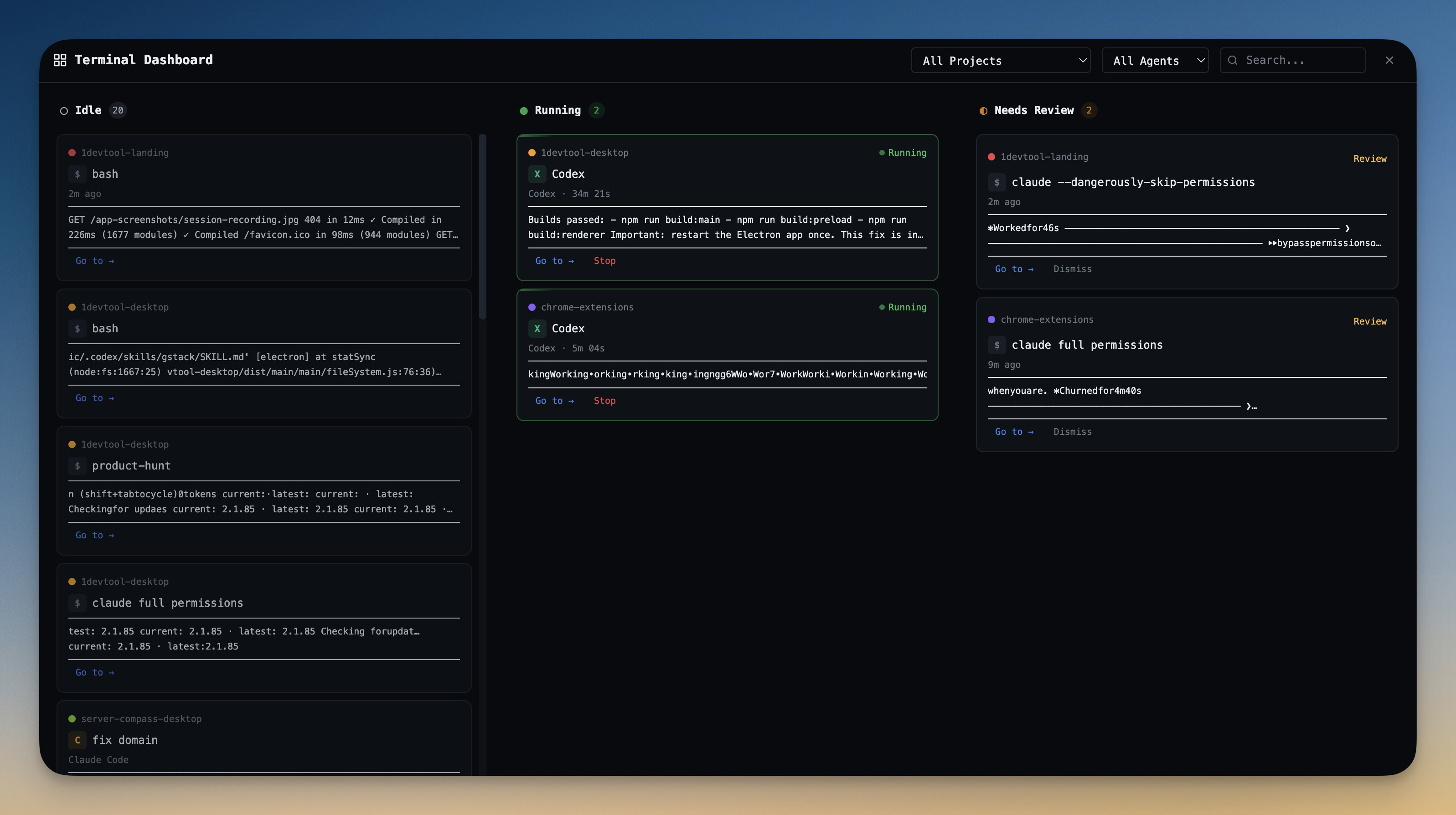
The Idea: One Window Per Project
Every developer tool you touch today lives in its own application — its own window, its own state, its own lifecycle. Close your laptop and that context is fragile.
1DevTool is a desktop app that replaces that scattered setup with a single persistent workspace per project. Open a project, arrange your panels however you want, run your AI agents, query your database, preview your app — and when you come back tomorrow, every single thing is exactly where you left it.
Terminals. Scrollback. Layout. Files. Agent conversations. All of it.
What's Actually Inside
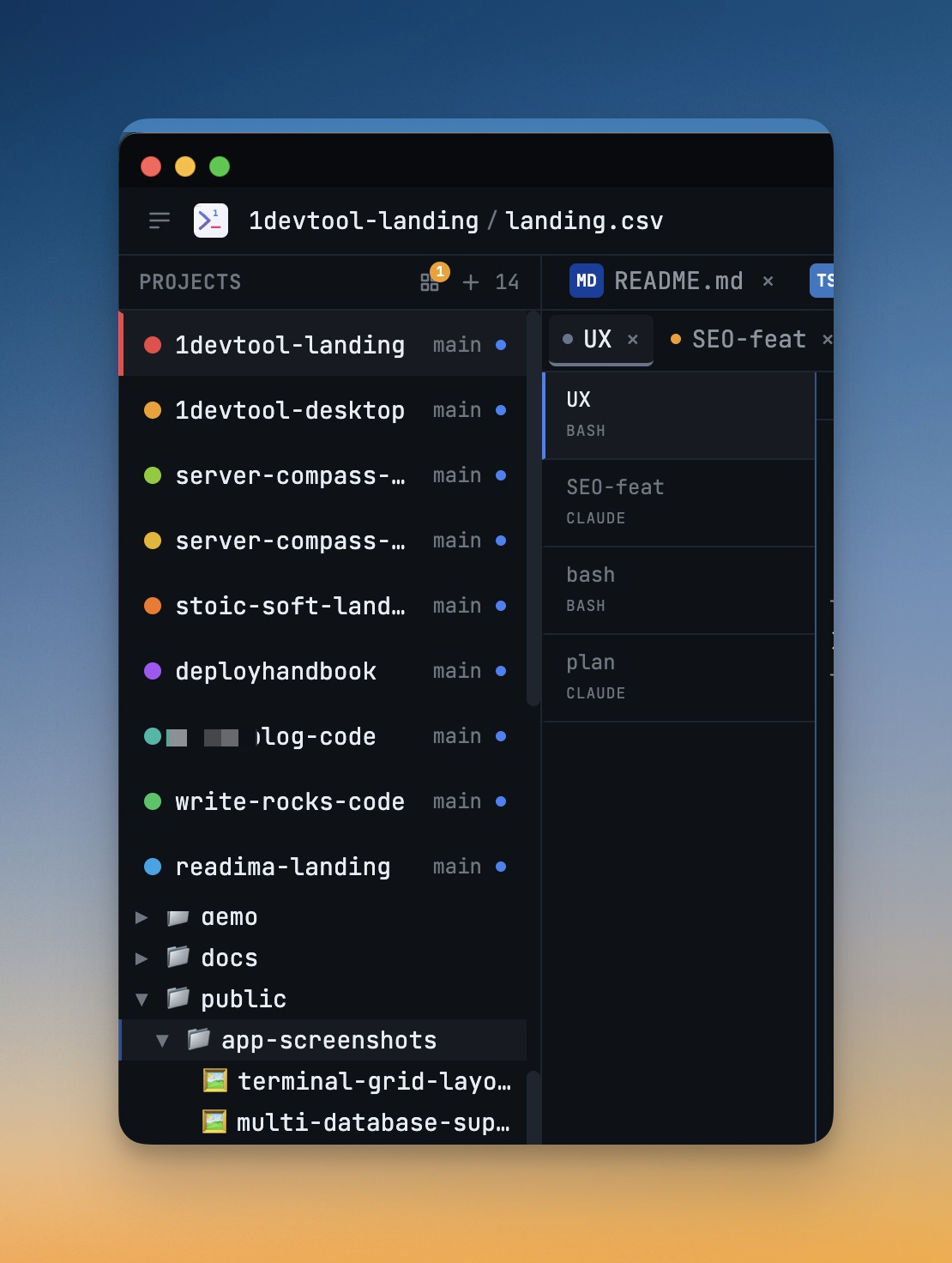
Real Terminals With Native Support for 7 AI Agents
These aren't emulated shells. 1DevTool runs real PTY terminals through node-pty. When tmux is available, your sessions survive app restarts — close 1DevTool, come back later, and your dev server is still running with full scrollback intact.
Out of the box, seven AI coding agents get first-class treatment:
- Claude Code (Anthropic)
- Codex (OpenAI)
- Gemini CLI (Google)
- Amp (Sourcegraph)
- OpenCode
- Cline
- Qoder
Need a different CLI agent? Register any custom command and flag it as an AI agent — it gets the same features.
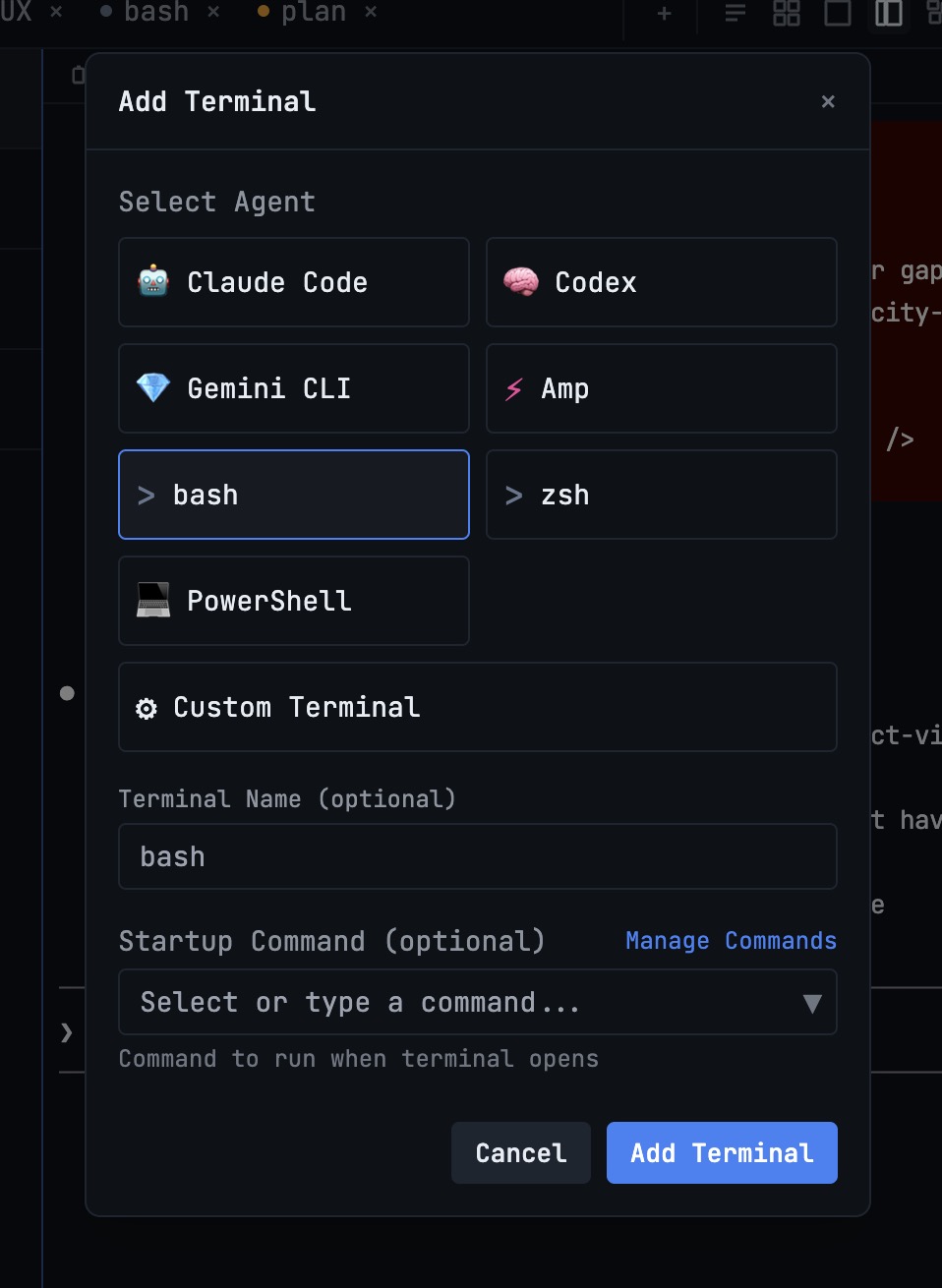
Every agent benefits from purpose-built features that don't exist in a regular terminal:
- A cross-project activity feed that pings me the moment any agent finishes a task — even in a project I'm not actively viewing
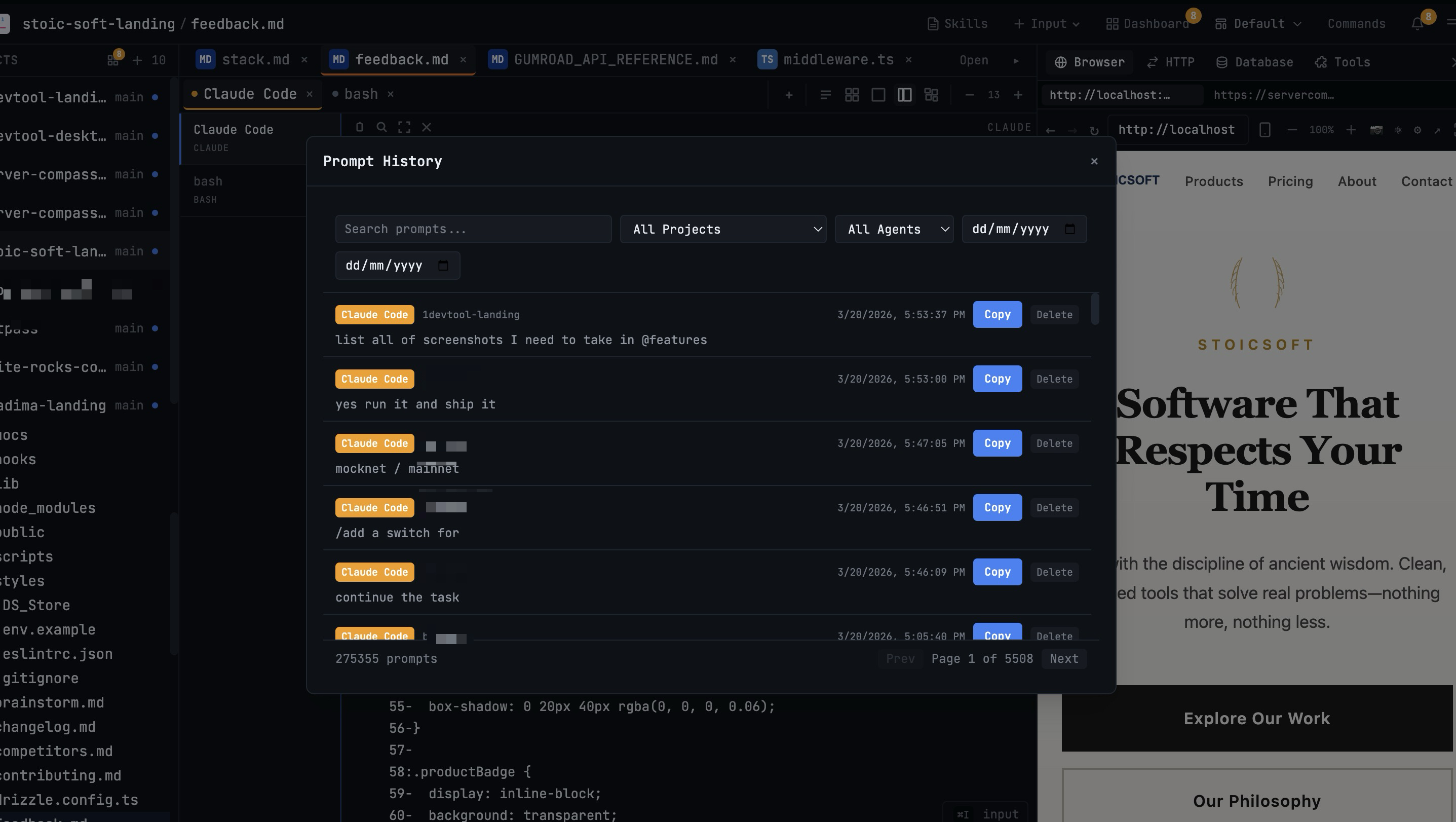
- An input overlay (Cmd+I) for sending prompts without disrupting the output stream
- A searchable prompt history so I can resume a past conversation
- A reader mode that renders raw terminal output as clean, formatted markdown
Chat Channels: Where Multi-Agent Orchestration Stops Being Painful
This is the feature I'm most excited about, and the one I want feedback on.
The problem: you have three AI agents running on the same codebase, and you need them to coordinate. Agent A reviews what Agent B writes, then Agent C writes tests for the result. Today, you copy output from one terminal, paste it into another, and pray the context survives.
Chat Channels replace that with a conversation. Create a channel, type a message, @mention any running AI terminal. An operator agent (Claude Code by default, fully configurable) reads your instruction, dispatches sub-tasks to the right terminals, and aggregates their responses back into the channel thread.
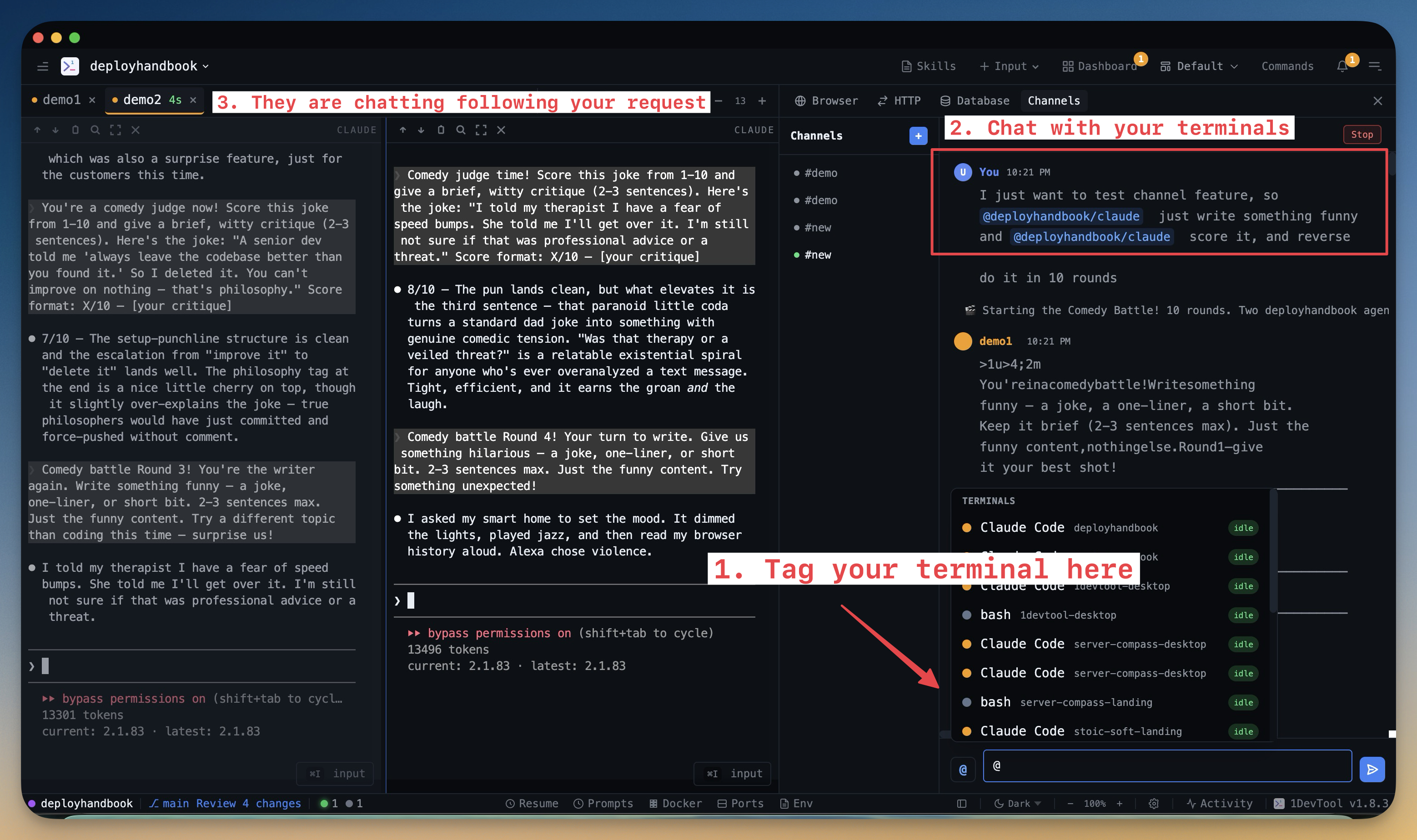
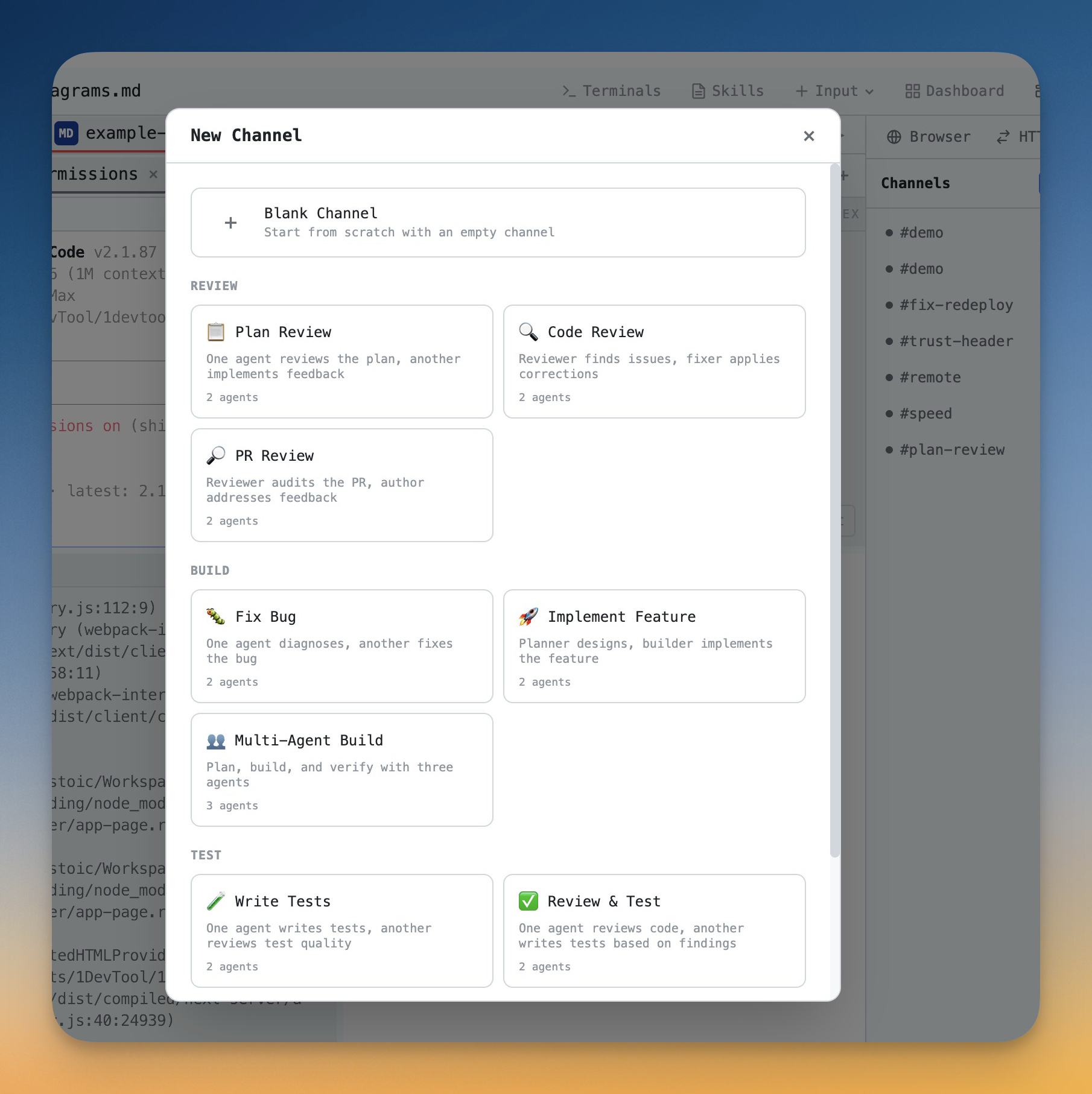
It ships with 10 workflow templates for the patterns that come up over and over:
| Category | Templates |
|---|---|
| Review | Plan Review, Code Review, PR Review |
| Build | Fix Bug, Implement Feature, Multi-Agent Build |
| Test | Write Tests, Review & Test |
| Ops | Audit, Refactor |
Each template pre-assigns agents with distinct roles — one reviews while another fixes, one plans while another builds. Pick a template, select your files, tweak the prompt, hit launch.
You can pause any channel mid-conversation to manually intervene, then resume with the operator continuing from exactly where it stopped — full history intact.
A Database Client That Speaks 18+ Engines
I genuinely did not want to build a database client. But every time I had to switch to TablePlus or DataGrip just to check a query result, I lost the focus I was trying to protect. So 1DevTool ships with one.
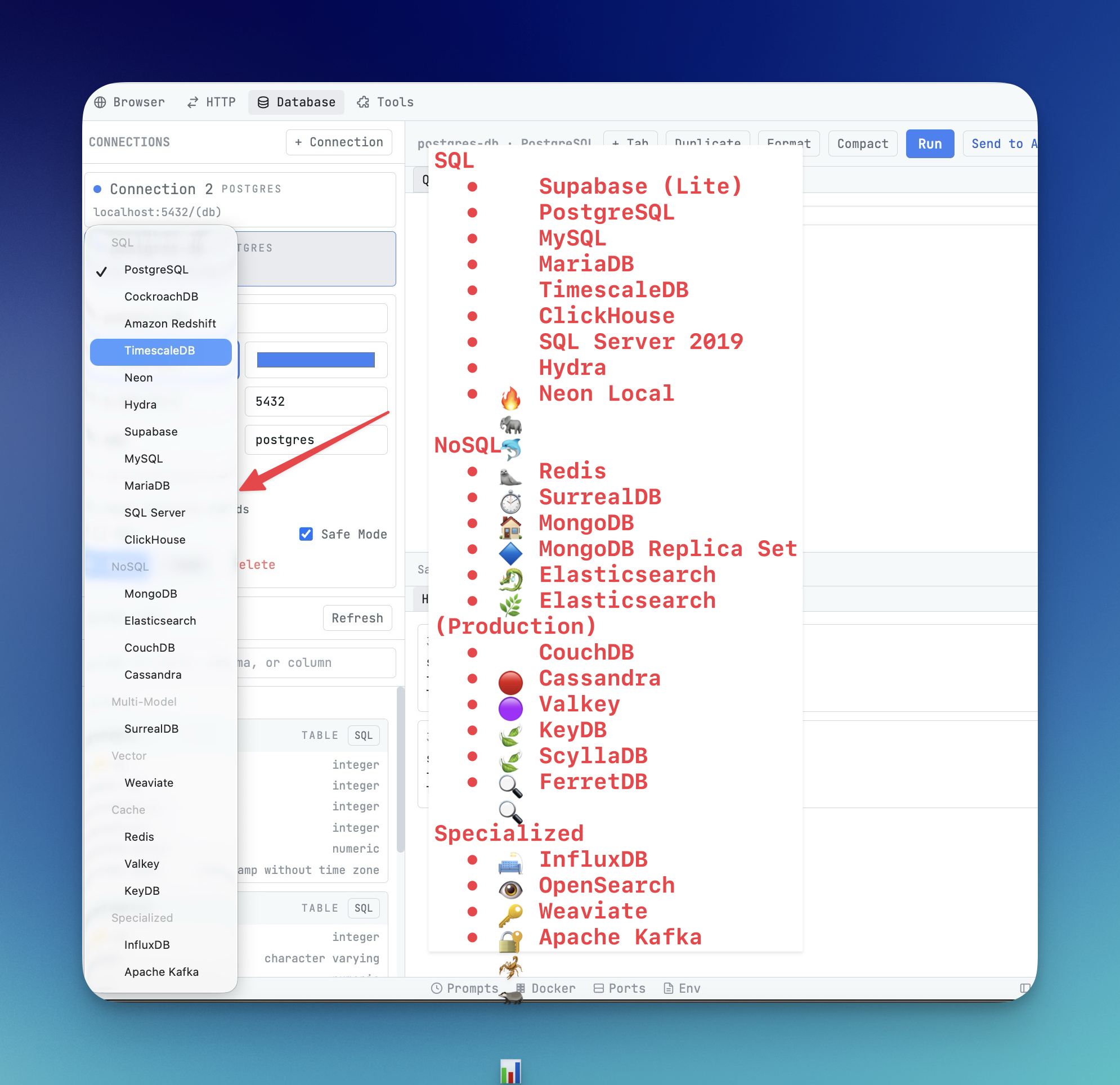
It supports 18+ engines across every category I run into:
- SQL: PostgreSQL, MySQL, MariaDB, SQL Server, ClickHouse, CockroachDB, Redshift, TimescaleDB, Neon, Hydra, Supabase
- NoSQL: MongoDB, Elasticsearch, CouchDB, Cassandra
- Multi-model & Vector: SurrealDB, Weaviate
- Cache: Redis, Valkey, KeyDB
- Specialized: Kafka, InfluxDB
Every engine gets a query editor with syntax highlighting, a schema browser, a result grid, and CSV/JSON/NDJSON import-export. MongoDB, Redis, and Elasticsearch get purpose-built editors and viewers for their data models.
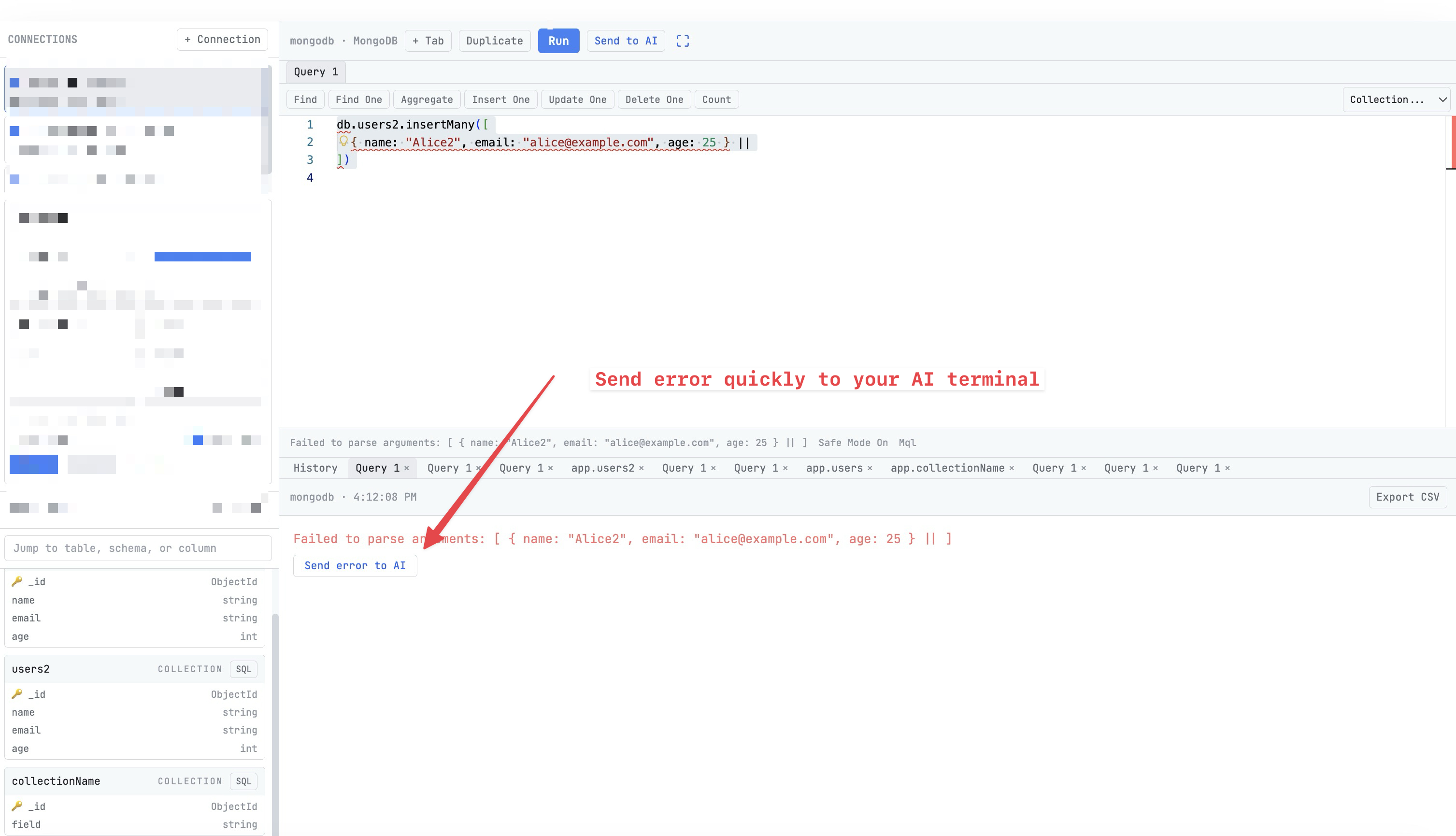
And because drivers are lazy-loaded, only the engine you actually connect to ever touches memory.
HTTP Client, Embedded Browser, File Explorer
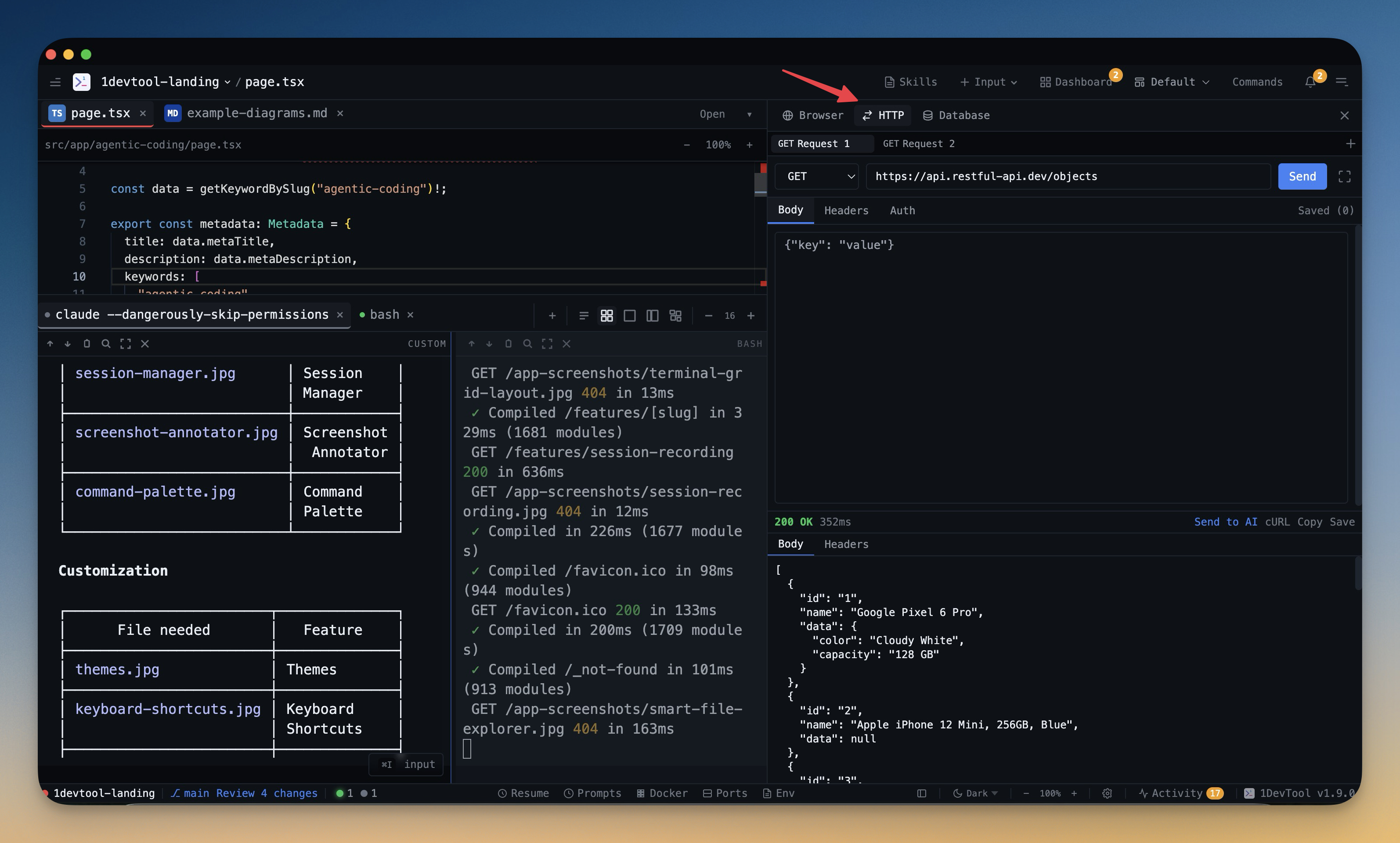
A Postman-style REST client lives right in the workspace — compose requests, organize them per project, browse history, inspect formatted responses. Nothing revolutionary, just there so I never have to leave.
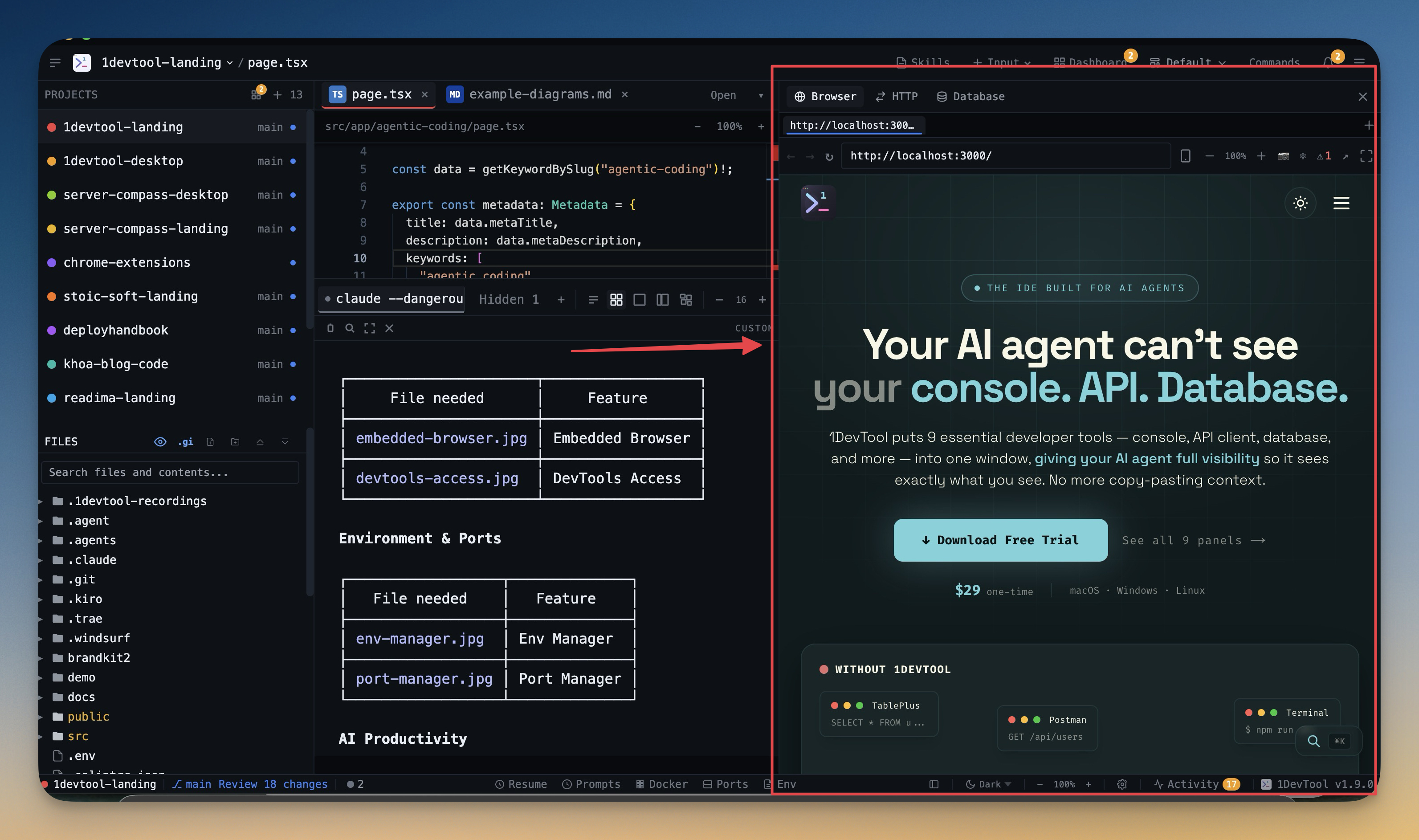
The embedded browser shows my running app one panel away from the terminal that started the dev server. Navigation, dev tools, viewport testing — all built in.
The file explorer is git-aware: modified files glow with M/U/A/D badges that propagate up the folder hierarchy, so uncommitted changes are visible at a glance.
Reader Mode: AI Output That's Actually Readable
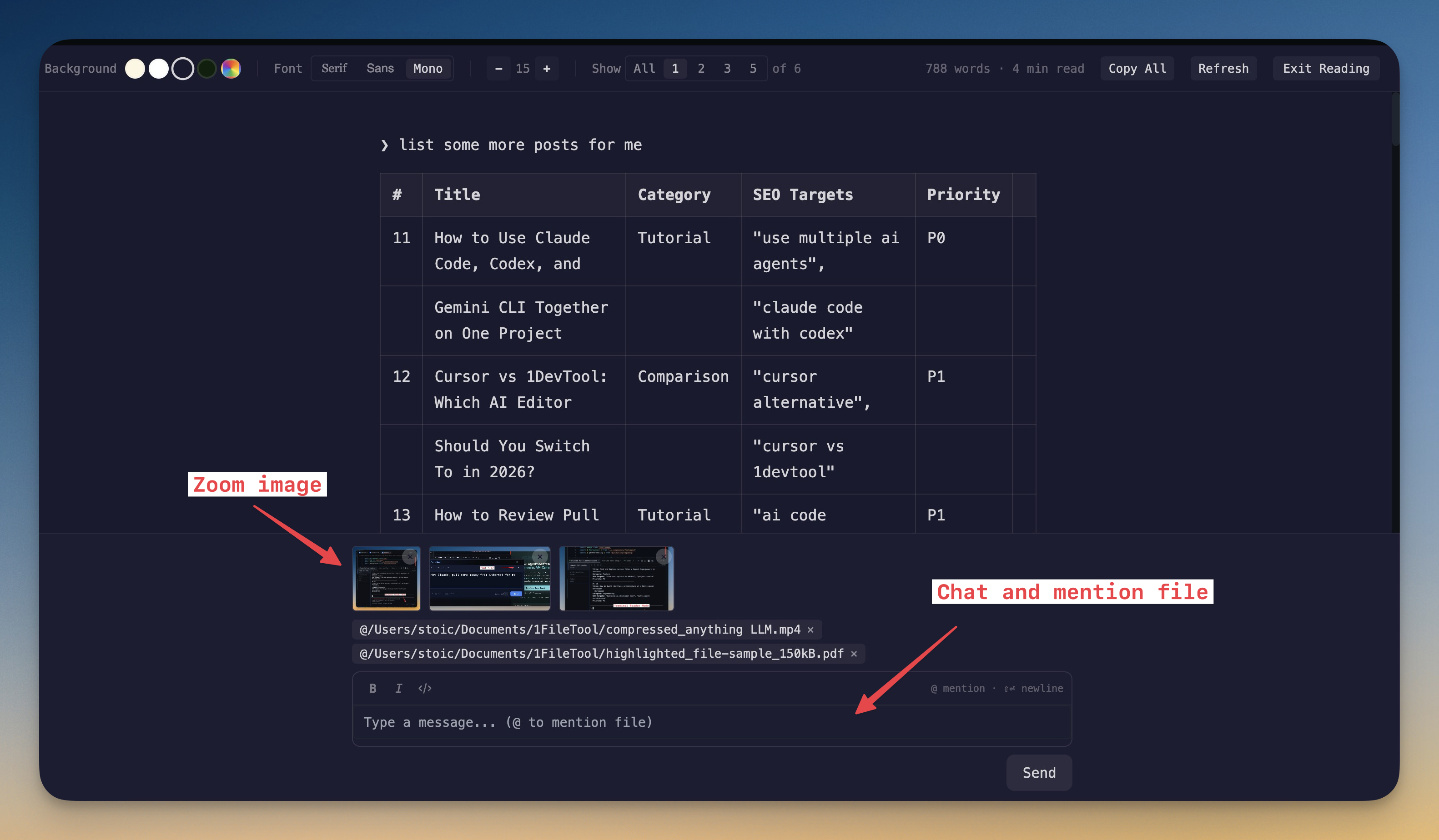
AI agents produce walls of text. Reader mode transforms raw terminal output into a clean, distraction-free reading view with full markdown rendering. Five themes, three font families, adjustable size, in-view search. The best part: I can chat with the agent directly from reader mode — send follow-ups, @mention files, drag in attachments.
Layouts That Bend To Your Brain
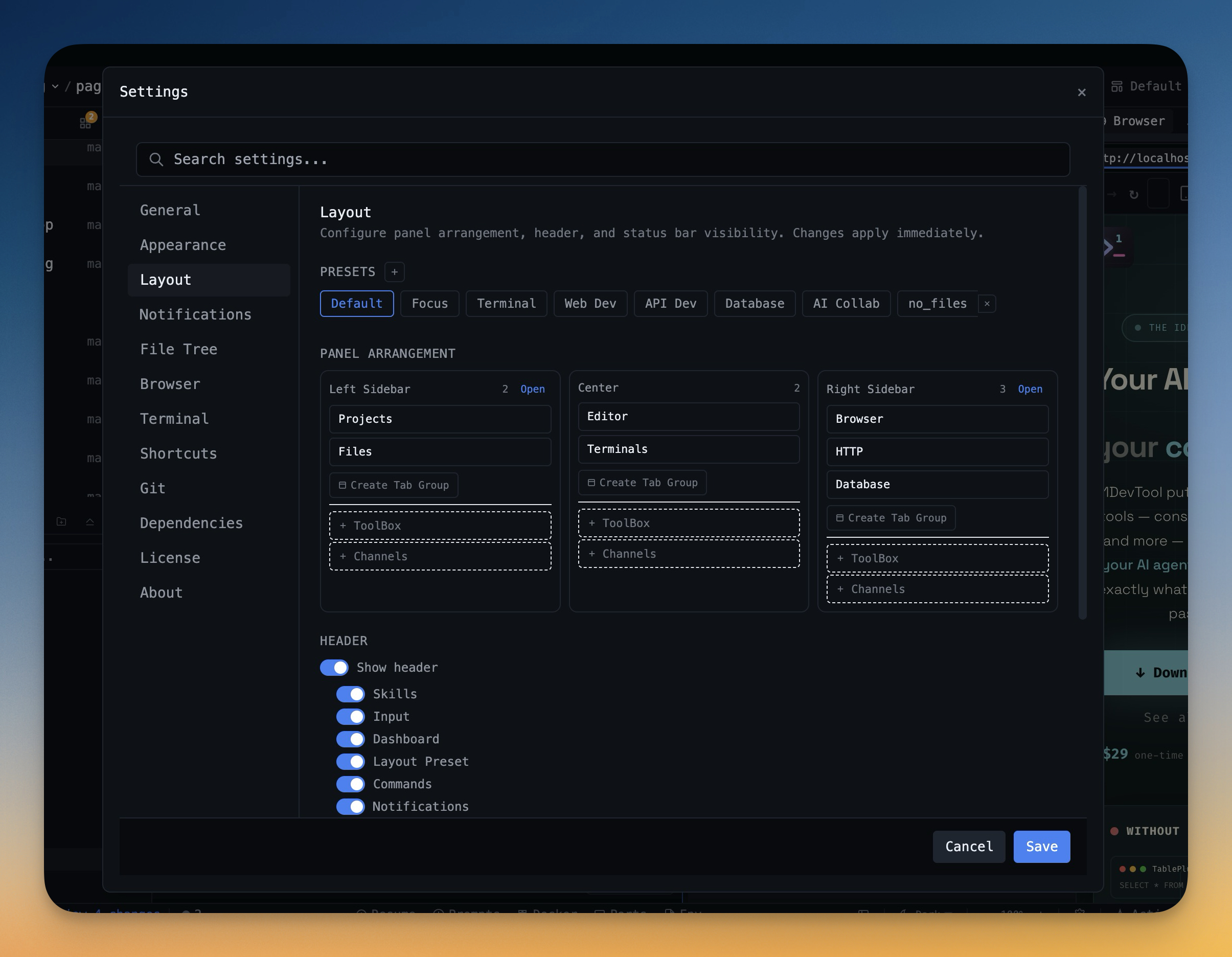
Built-in presets (grid, columns, single focus) are starting points. Drag any panel — file explorer, terminals, database client, browser — into the left sidebar, the center, or the right sidebar. Save any arrangement as a named preset and switch between them in a click.
Remote Control From Any Device
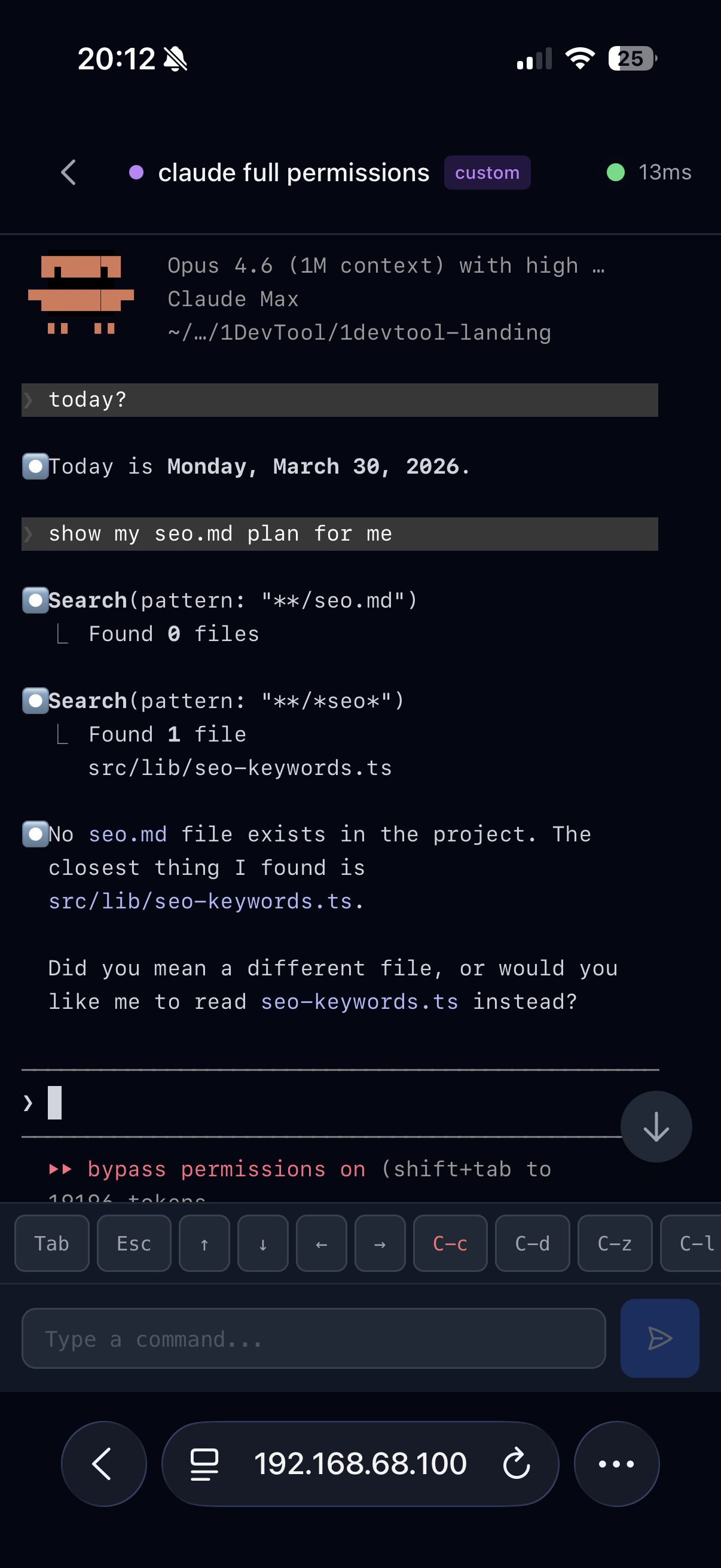
Start the remote server, scan a QR code with your phone, and you've got a mobile dashboard for your workspace. View all projects, send commands to any terminal, live-stream output, capture annotated screenshots. The use case I built it for: I'm on the couch, my desktop is running a long build, and I want to check progress without walking back to my desk.
A Design Tool Driven By AI
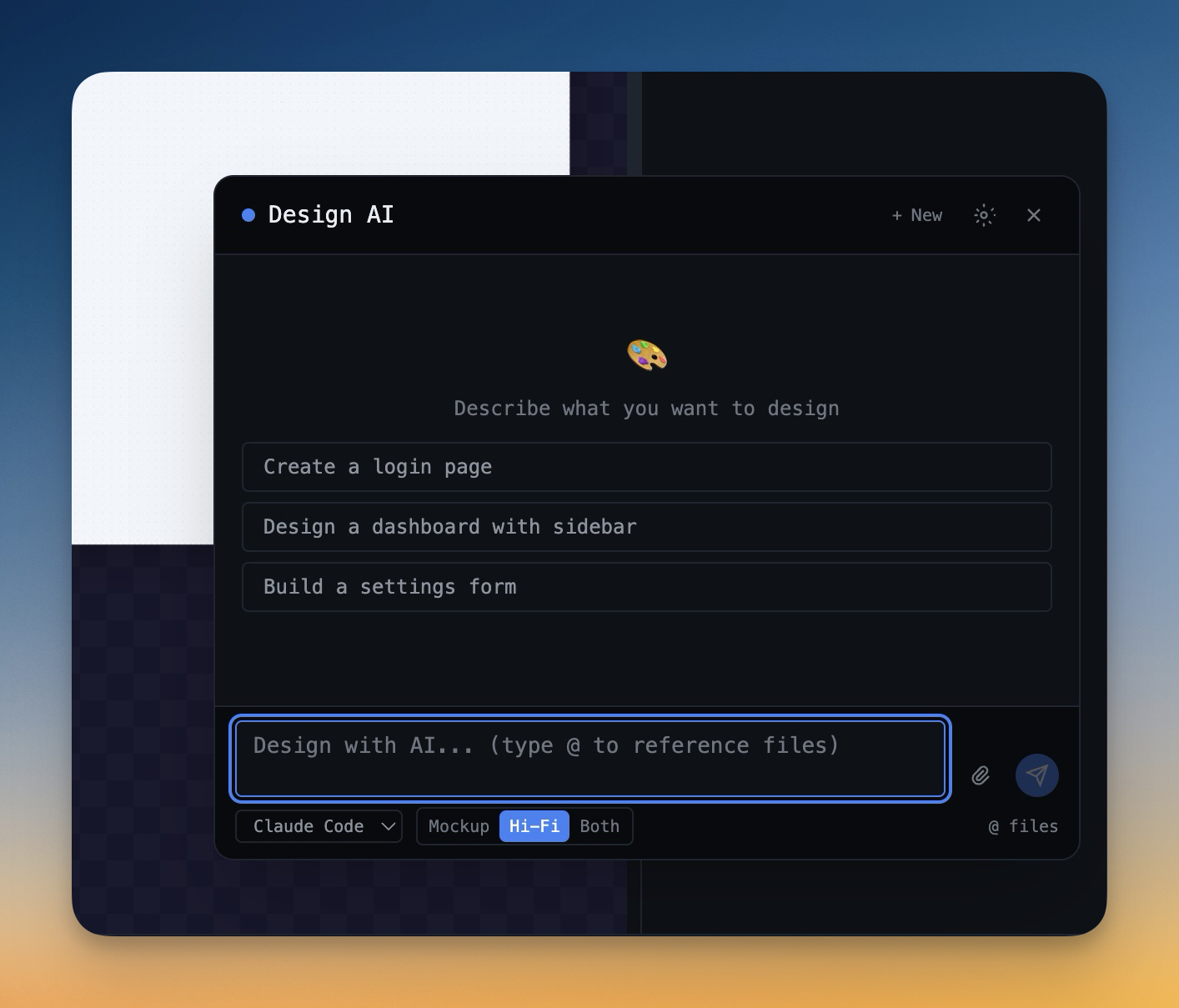
There's a built-in visual design canvas for UI prototyping — 20+ components, a property inspector, layers, multi-screen tabs. The thing that makes it interesting: it speaks Model Context Protocol, so Claude, Codex, or Gemini can generate and modify designs directly on the canvas.
The Rest Of The Toolkit
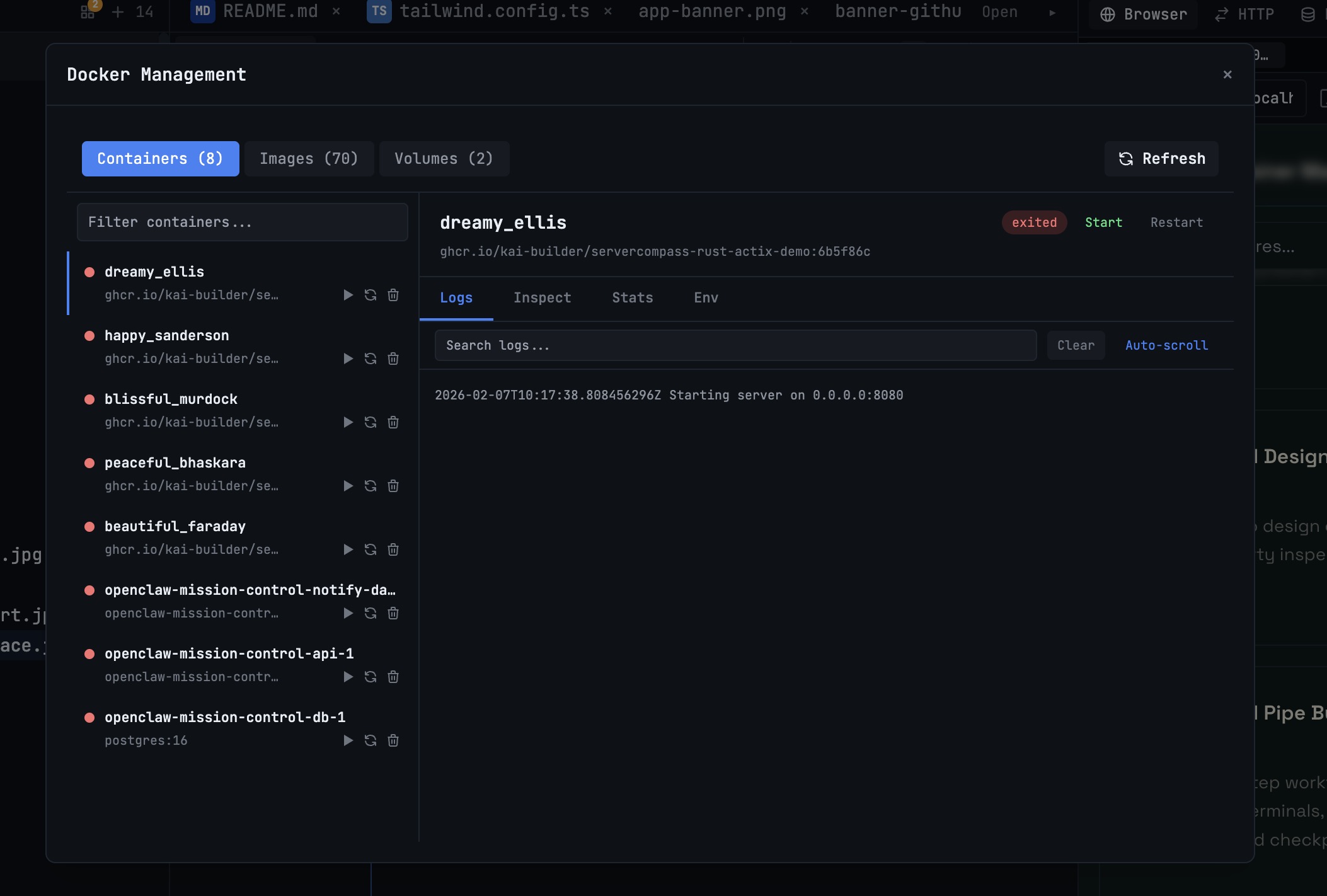
- Docker Manager — containers, images, volumes with live resource stats
- Port Manager — what's listening on every port at a glance
- Environment Manager — edit
.envfiles in place - Git Client — basic git operations integrated
- Skills Manager — browse, create, manage AI agent skills
- Terminal Manager — central dashboard for every terminal across all projects
- Diagram Export — Mermaid to PNG/JPEG/SVG at 2x resolution
- Themes — light, dark, VS Code theme import
Performance: The Electron Question
Yes, it's Electron. No, it's not slow.
- Monaco editor workers only initialize when you open a file
- Terminal writes batch through
requestAnimationFrameso heavy agent output stays smooth - Database drivers load lazily — only the engine you connect to enters memory
- File watching is intelligent — only the active project and projects with running AI agents are monitored, with a 5-minute grace period after agents exit
- Inactive projects release rendering resources and auto-detach tmux sessions, reconnecting seamlessly when you return
Three rounds of optimization later, we hit a 43% RAM reduction. Workspaces with 10+ projects and dozens of concurrent terminals stay responsive.
Who Is This For?
Developers running multiple AI agents — if you regularly have 2+ coding agents going and you're tired of managing them across separate terminal windows, this is for you.
Full-stack engineers — if your day involves bouncing between an editor, terminal, browser, database client, HTTP tool, and git client, replace five of those with one window.
Indie hackers — if you juggle multiple projects and want per-project persistence without the weight of a full IDE.
Teams experimenting with multi-agent workflows — if you want to orchestrate agents through structured templates instead of manual copy-paste.
How It Compares
| VS Code / Cursor | iTerm2 / Warp | Postman | 1DevTool | |
|---|---|---|---|---|
| Multi-agent terminals | Limited | No project context | N/A | Native |
| Per-project persistence | Workspace files | None | Collections | Full state |
| Database client | Extensions | N/A | N/A | 18+ engines |
| HTTP client | Extensions | N/A | Core | Built-in |
| Browser preview | Extensions | N/A | N/A | Embedded |
| Agent orchestration | N/A | N/A | N/A | Chat Channels |
| Remote control | N/A | N/A | N/A | QR pairing |
| Design tool | N/A | N/A | N/A | AI canvas |
1DevTool isn't replacing your code editor. VS Code and Cursor are better at deep editing, and that's fine. 1DevTool is the operational layer wrapped around it — the cockpit where you run agents, preview apps, query databases, and orchestrate workflows.
Try It
$29, one-time. macOS, Windows, Linux. No subscription, no telemetry, no cloud dependency. It's a desktop app that runs locally.
Download, point it at a project folder, open a terminal. Everything saves automatically. Close the app, reopen it tomorrow, and you're exactly where you stopped.
One window. Every agent. Every project.
If you give it a spin, the part I most want feedback on is Chat Channels. That's where I'm betting the future of this tool lives, and I want to get it right.
Related Posts

Day 26 - Profitable MVP in 30 Days - The Same Old Song
Day 26 of the profitable MVP challenge where I introduce a new idea - an app to automatically open and arrange applications on Mac screen. The idea came from personal need when constantly opening multiple apps together for different tasks. Also sharing new knowledge about using Apple Scripts for automation.

Day 20 - Profitable MVP in 30 Days - Landing Page
Day 20 of the profitable MVP challenge, sharing about building the landing page for ReadingPointer.com using Hugo and Netlify. The post also describes plans for creating a promo video and detailed instructions on how to easily convert a Chrome extension to a Firefox add-on using tools like Get CRX and extensiontest.com.

Day 13 - Profitable MVP in 30 Days - Speed Reading Chrome Extension
Day 13 of the profitable MVP challenge, sharing the development of a Speed Reading Chrome extension. The post analyzes different speed reading methods like RSVP and Tim Ferriss's method, explains the main features including Reader Mode and Reading Pointer, and shares the process of learning and creating a simple Chrome extension.

1DesignTool: AI Design That Works With Any Coding Agent
Design with the coding agent you already use, let the AI review its own work, then apply the design straight into your SwiftUI, React Native or Vue code.

What Stops You from Writing?
Analyzing the psychological and practical barriers that make many people hesitant to blog, from choosing which language to write in to selecting the right platform.

English Course Challenge in 2 Weeks - Day 0: Using Info Products for SaaS Marketing
Introducing the challenge to create an English course in 2 weeks to market the SaaS app Bubble Component Collection. The author shares the strategy of using Info Products (ebooks, courses, templates) to promote software, differences between info products and regular blogging, and the plan to create a course under 3 hours demonstrating how to use the Chrome extension to build app frontends.