Server Compass: Why I Built a Desktop App to Turn Any $5 VPS Into My Own PaaS
I was tired of paying $20+/month for Vercel and Railway, but also tired of self-hosted panels eating 2GB of RAM on my $5 VPS. So I built Server Compass — a desktop app that connects to any VPS over SSH and gives you the full power of a managed PaaS, with zero server overhead and one-time pricing.
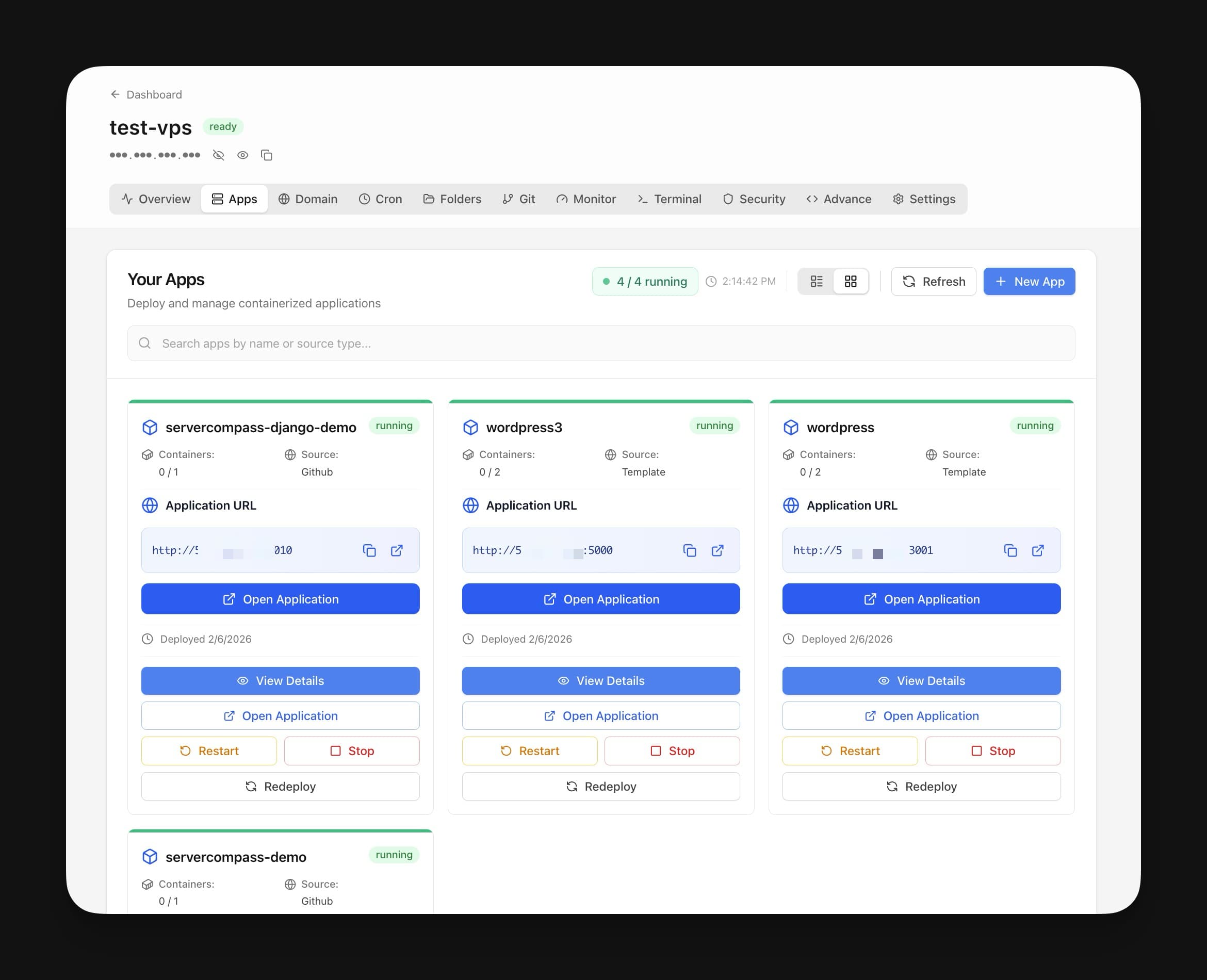
The Hosting Tradeoff Nobody Wins
If you've ever shipped a side project, you've felt this tension.
Managed platforms like Vercel and Railway are convenient — but $20+/month adds up fast across a portfolio of small projects, and they own your infrastructure. Try to escape and you're locked into their build pipeline, their edge, their database.
Self-hosting gives you control. But it also gives you a weekend of wrangling Docker, Traefik, Let's Encrypt, UFW, fail2ban, and that one obscure systemd unit that won't restart properly.
Tools like Coolify and CapRover try to bridge the gap, and they do a decent job. But they all have the same fundamental problem: they run on your server. That $5 Hetzner droplet you bought to host a small SaaS is now spending 2GB of its 4GB of RAM on a management panel before your app even boots.
I kept asking the same question: Why can't I manage my server from my own machine, without installing anything on the server itself?
That's how Server Compass came to be.
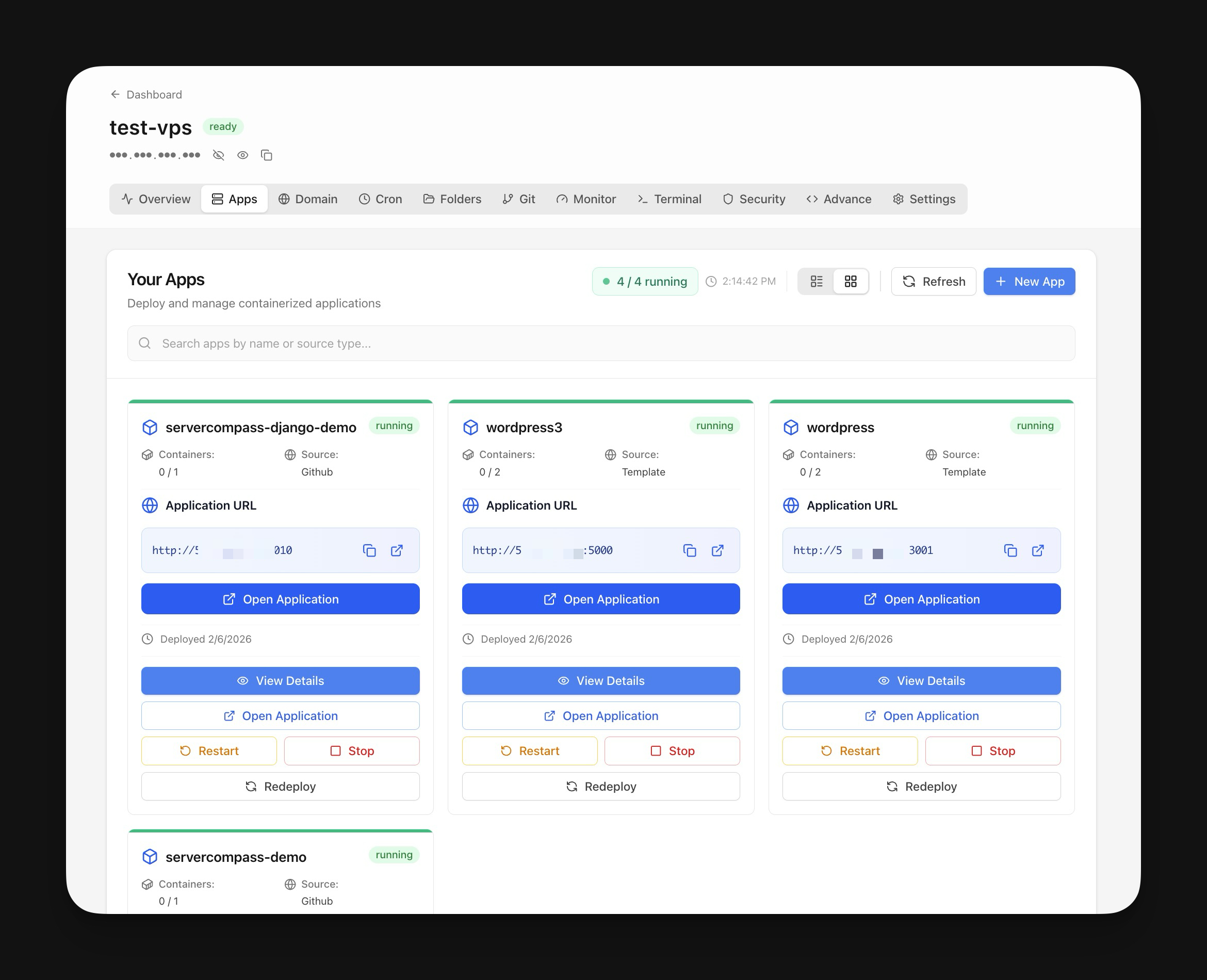
What Server Compass Actually Is
Server Compass is a native desktop app for macOS, Windows, and Linux. It connects to any VPS over SSH — DigitalOcean, Hetzner, Linode, Vultr, AWS EC2, your homelab box, anything that runs Linux — and gives you a complete management interface.
Think of it as a local control plane for your servers.
The key idea: it runs entirely on your laptop. Your VPS doesn't host a web panel, doesn't run a management daemon, doesn't expose any extra port. The only thing it needs is SSH access — which you'd have open anyway. Every megabyte of your VPS goes to your actual applications.
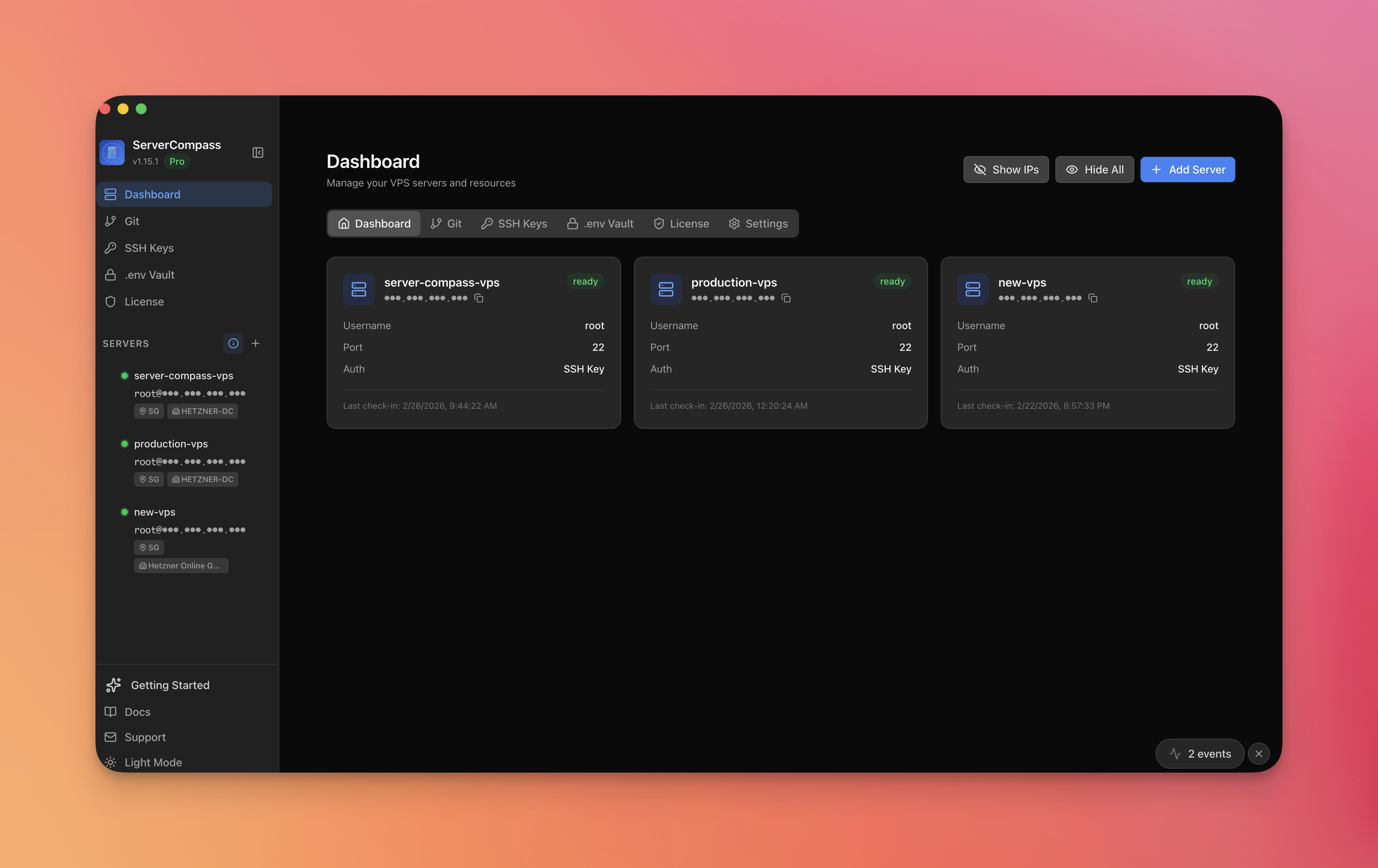
Four Ways to Deploy Anything
Server Compass doesn't force you into one deployment workflow. It gives you four.
1. Git-Based Deployment (GitHub & GitLab)
Connect your account, pick a repo and branch, and Server Compass auto-detects your framework — Next.js, React, Vue, Django, Flask, FastAPI, Angular, and more. It generates the Dockerfile, deploys with a zero-downtime blue-green strategy, and can scaffold a full GitHub Actions CI/CD workflow with one click.
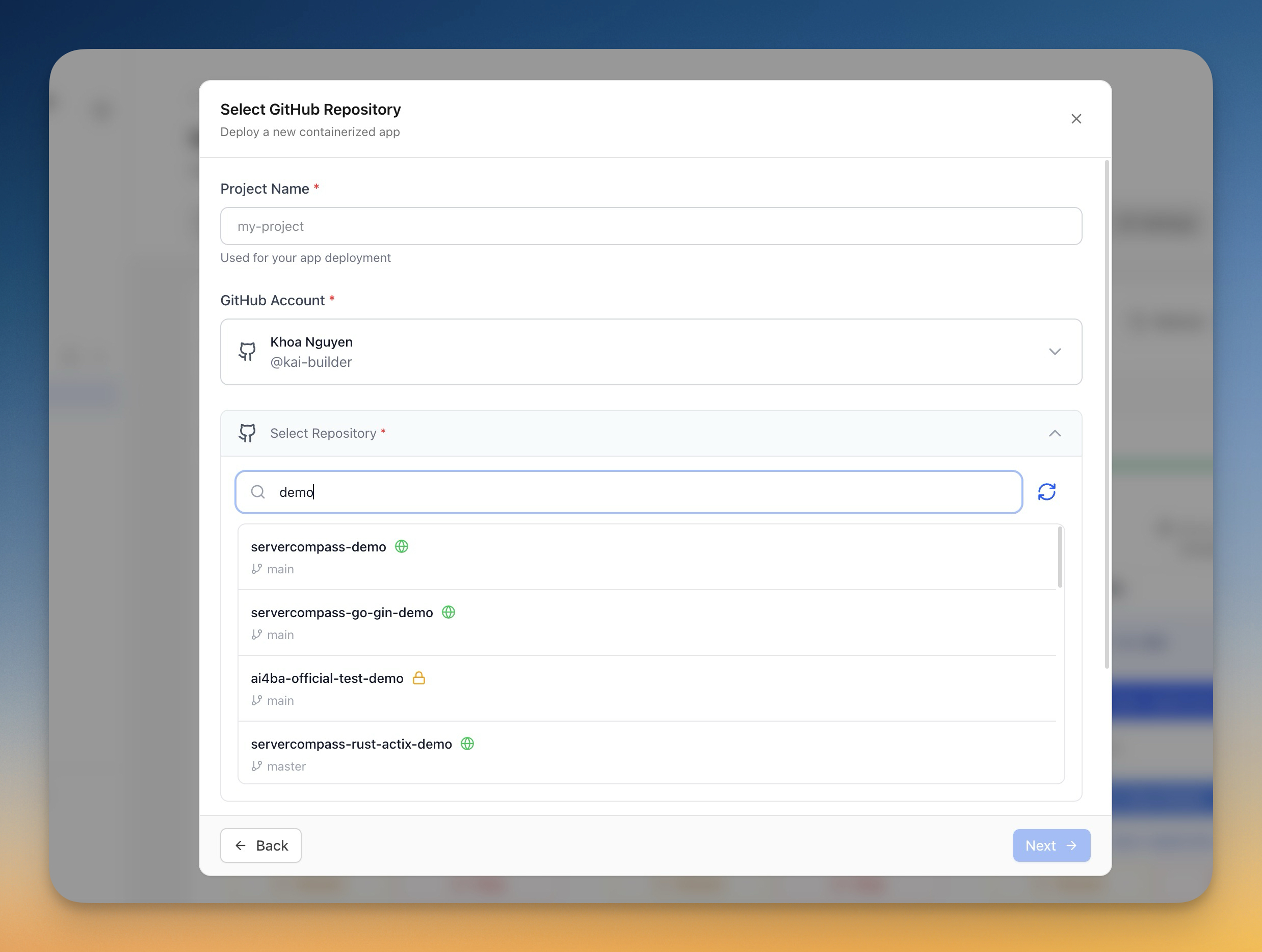
2. 247+ One-Click Docker Templates
This is where it gets fun. Want PostgreSQL, WordPress, Nextcloud, Ollama, Grafana, n8n, Jellyfin? Pick a template, hit deploy, you're done. Every template ships with auto-generated secure passwords, health checks, and post-deployment setup guides.
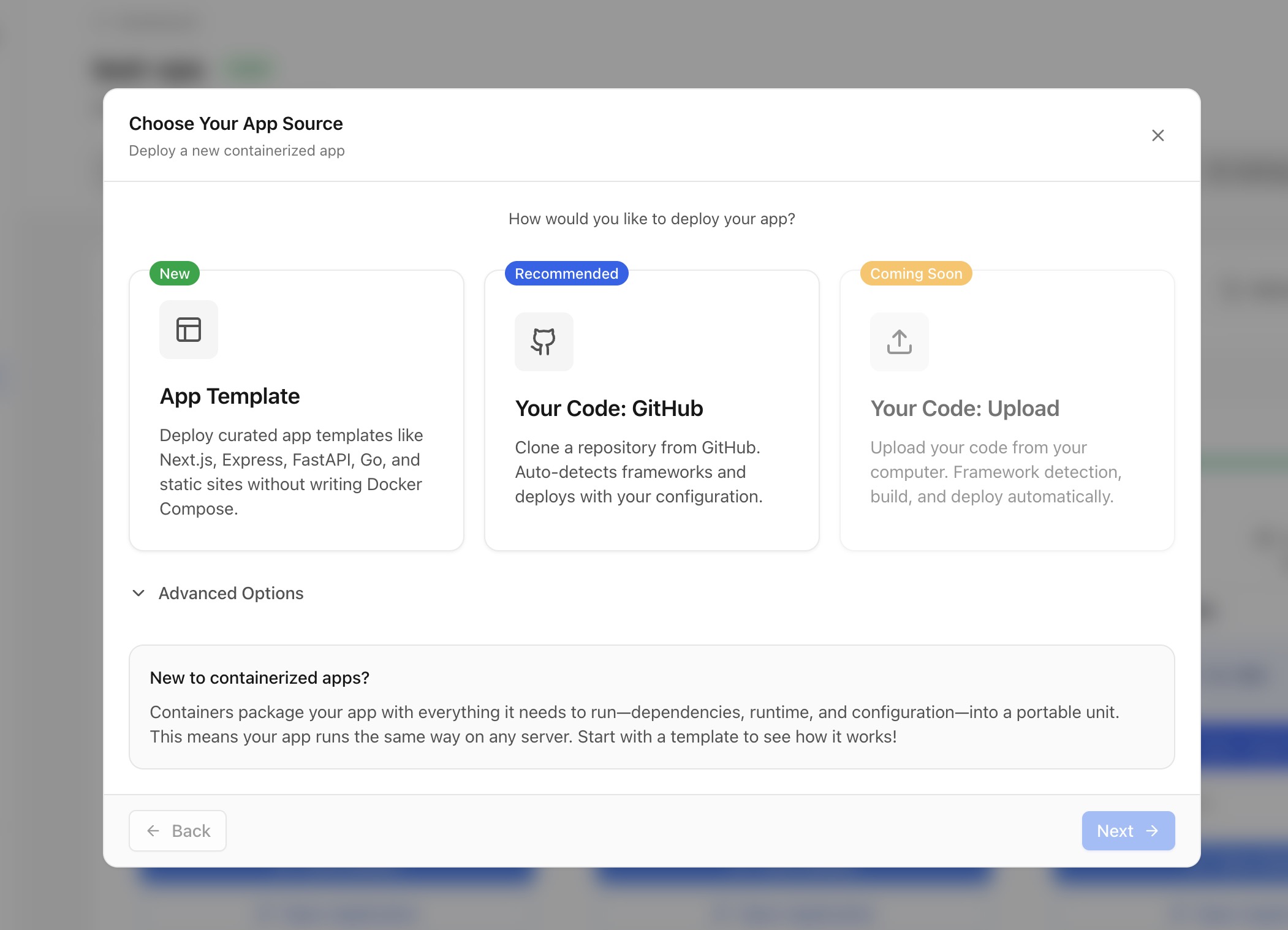
The library spans 4 categories and 27+ subcategories:
- Databases — PostgreSQL, MySQL, MariaDB, MongoDB, Redis, Elasticsearch, ClickHouse, InfluxDB, Kafka, Supabase
- Applications — WordPress, Ghost, Strapi, Directus, Nextcloud, Immich, Vaultwarden, Mastodon, Jellyfin, PostHog, Metabase, n8n
- AI & ML — Ollama + Open WebUI, AnythingLLM, Flowise, Langflow, Chroma, Qdrant, LiteLLM
- Development — Gitea, GitLab, Jenkins, Portainer, Code Server, Keycloak, Authentik
- Infrastructure — Grafana, Prometheus, Uptime Kuma, Traefik, WireGuard, Pi-hole
3. Local Folder Upload
Drag any project folder from your computer into the app. Server Compass detects the framework, generates a Dockerfile, shows you a diff to review, and deploys. No Git required.
4. Pull from Registry
Already have a container image on Docker Hub, GitHub Container Registry, or a private registry? Deploy it directly — no build step. Auto-detects ports for 30+ popular images and checks for conflicts before deploying.
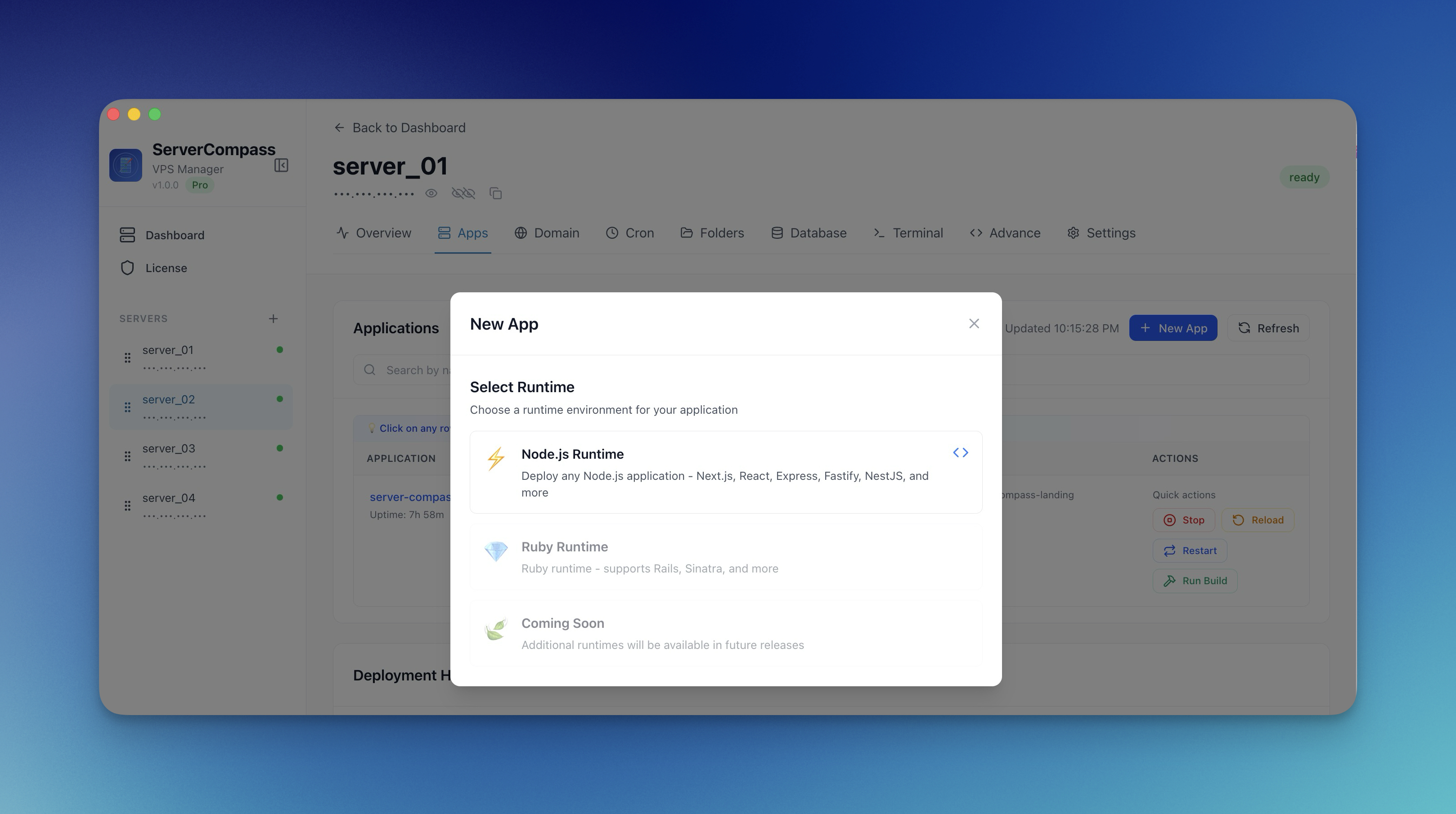
Pick Where Your App Gets Built
You get three build location options, depending on your setup:
- Build on VPS — standard Docker build right on your server. Simple, works everywhere.
- Local Build — build on your laptop using Docker Desktop or OrbStack, stream the image to your VPS via SSH. Great when your VPS has limited resources.
- GitHub Actions Build — offload builds to GitHub's infrastructure. Zero load on your server, automatic rebuilds on every push. Best for teams.
Domains, SSL, and Reverse Proxy — Handled
Setting up domains and HTTPS is usually where self-hosting gets tedious. Server Compass automates the whole lifecycle:
- Installs and configures Traefik as your reverse proxy
- One-click domain routing to any container or service
- Automatic SSL certificates via Let's Encrypt with renewal management
- WWW redirect support and real-time DNS verification
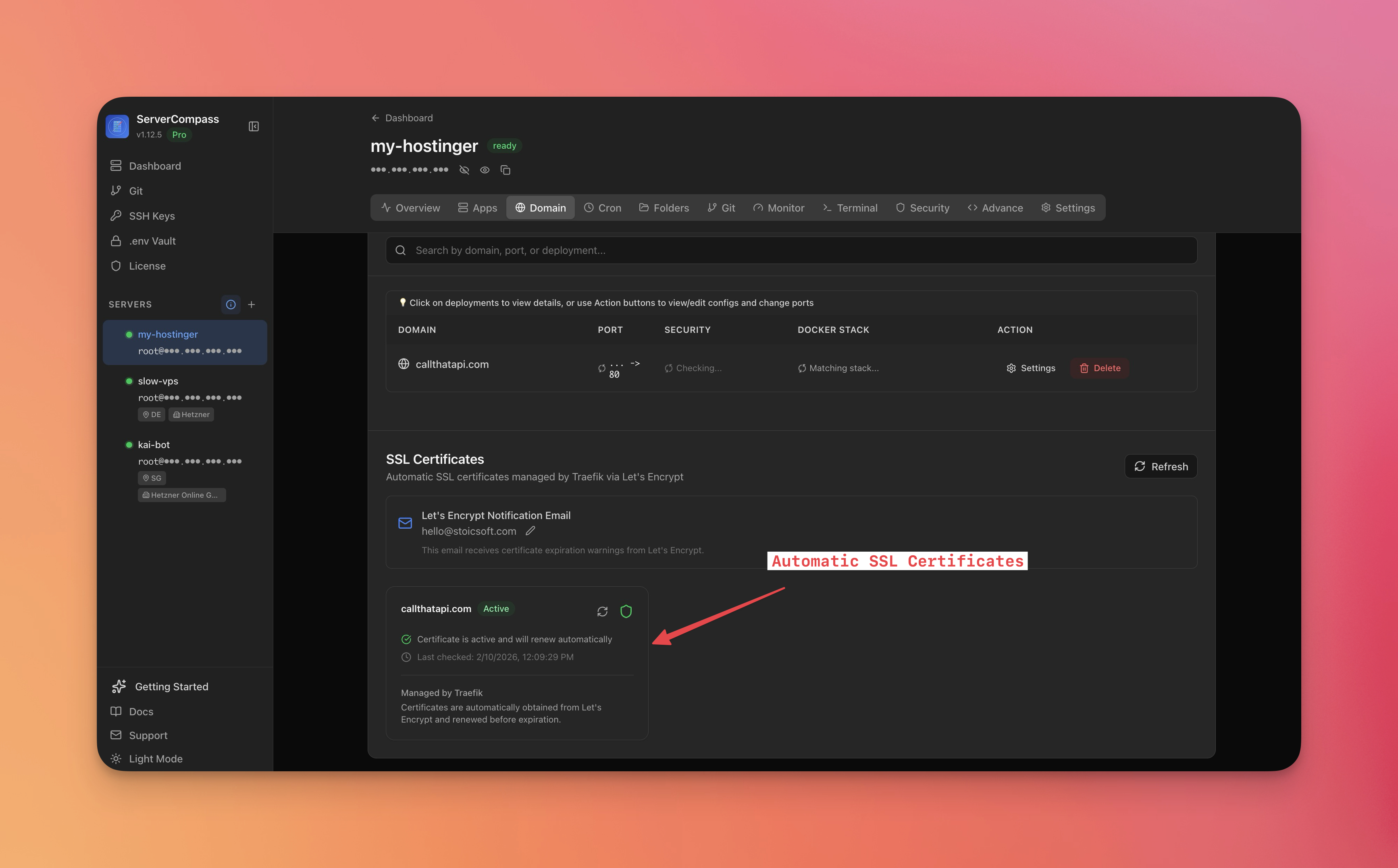
Already running Nginx, Caddy, or CloudPanel? No problem — Server Compass detects your existing reverse proxy and generates the right configuration for it. You don't have to switch to Traefik.
Behind Cloudflare, AWS ALB, DigitalOcean, or Hetzner load balancers? One-click presets ensure your apps see the real visitor IP. If anything goes sideways, the configuration rolls back automatically.
The Security Suite That Actually Ships With the Tool
Most deployment tools treat security as somebody else's problem. Server Compass bakes it in.
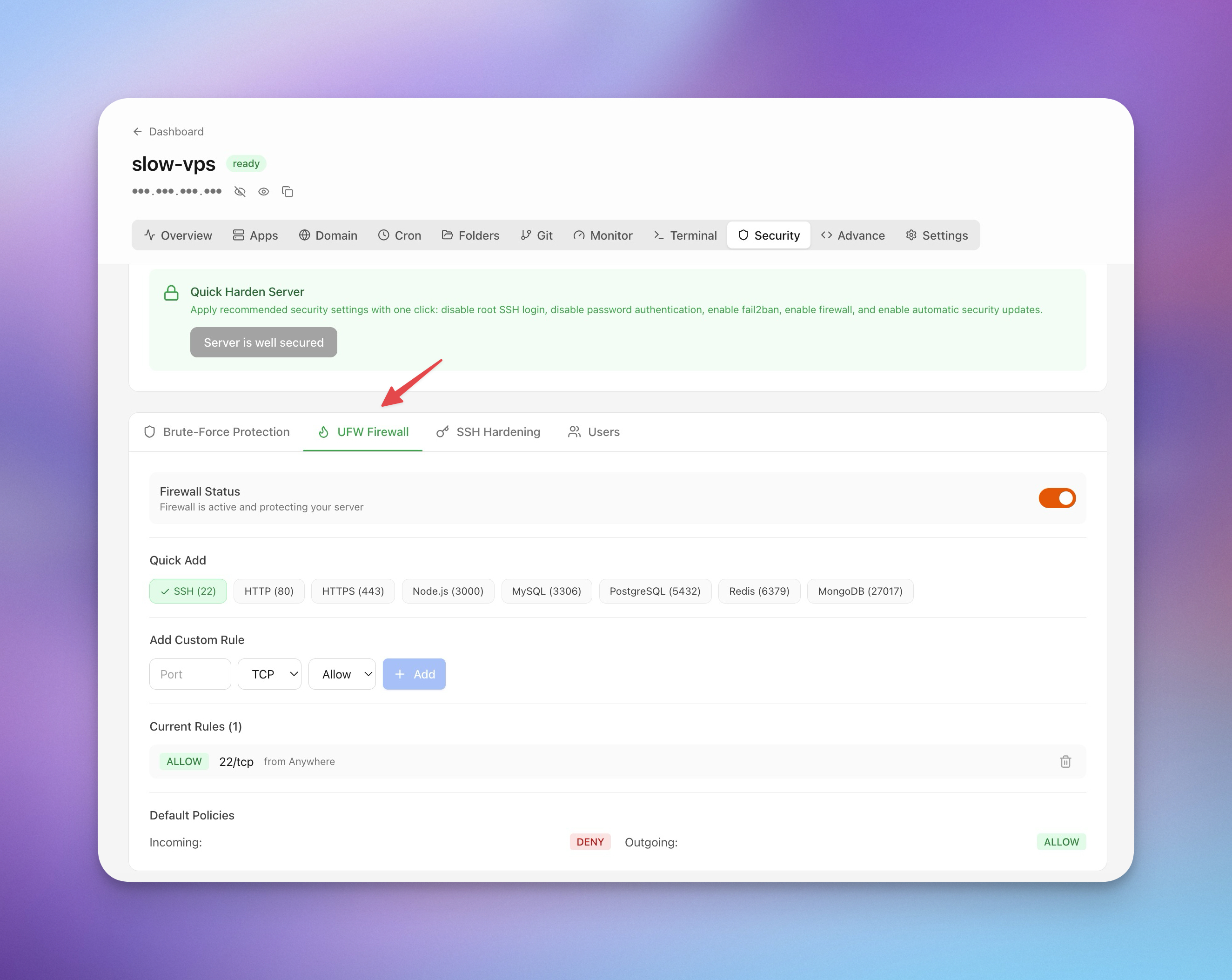
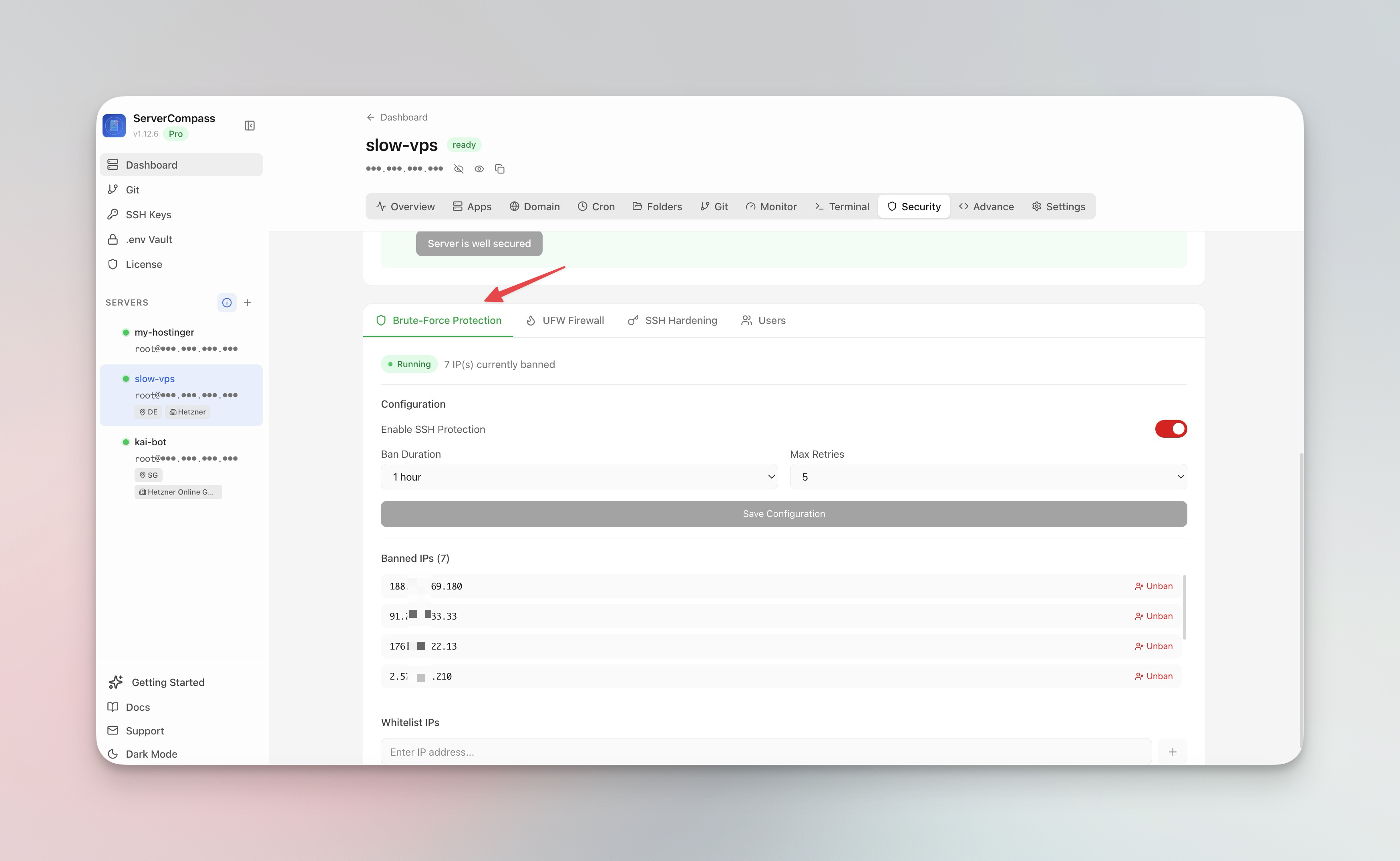
- UFW Firewall Management — create rules, restrict source IPs, toggle on/off
- Fail2Ban Configuration — monitor jails, track banned IPs, set custom thresholds, manage whitelists
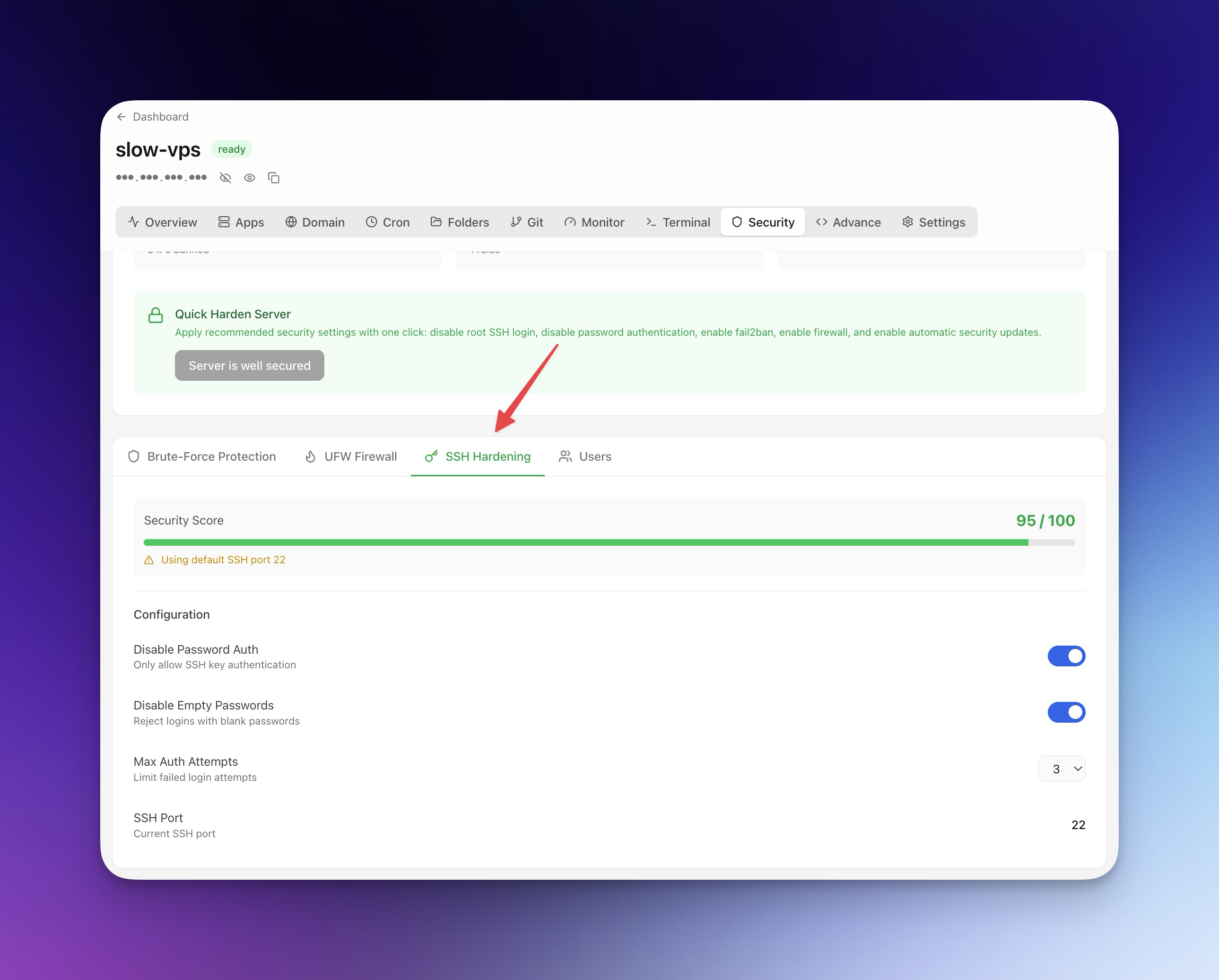
- SSH Hardening — change SSH port, disable root login, disable password auth, with safeguards that prevent you from locking yourself out
- User Management — create/delete system users, manage and rotate SSH keys
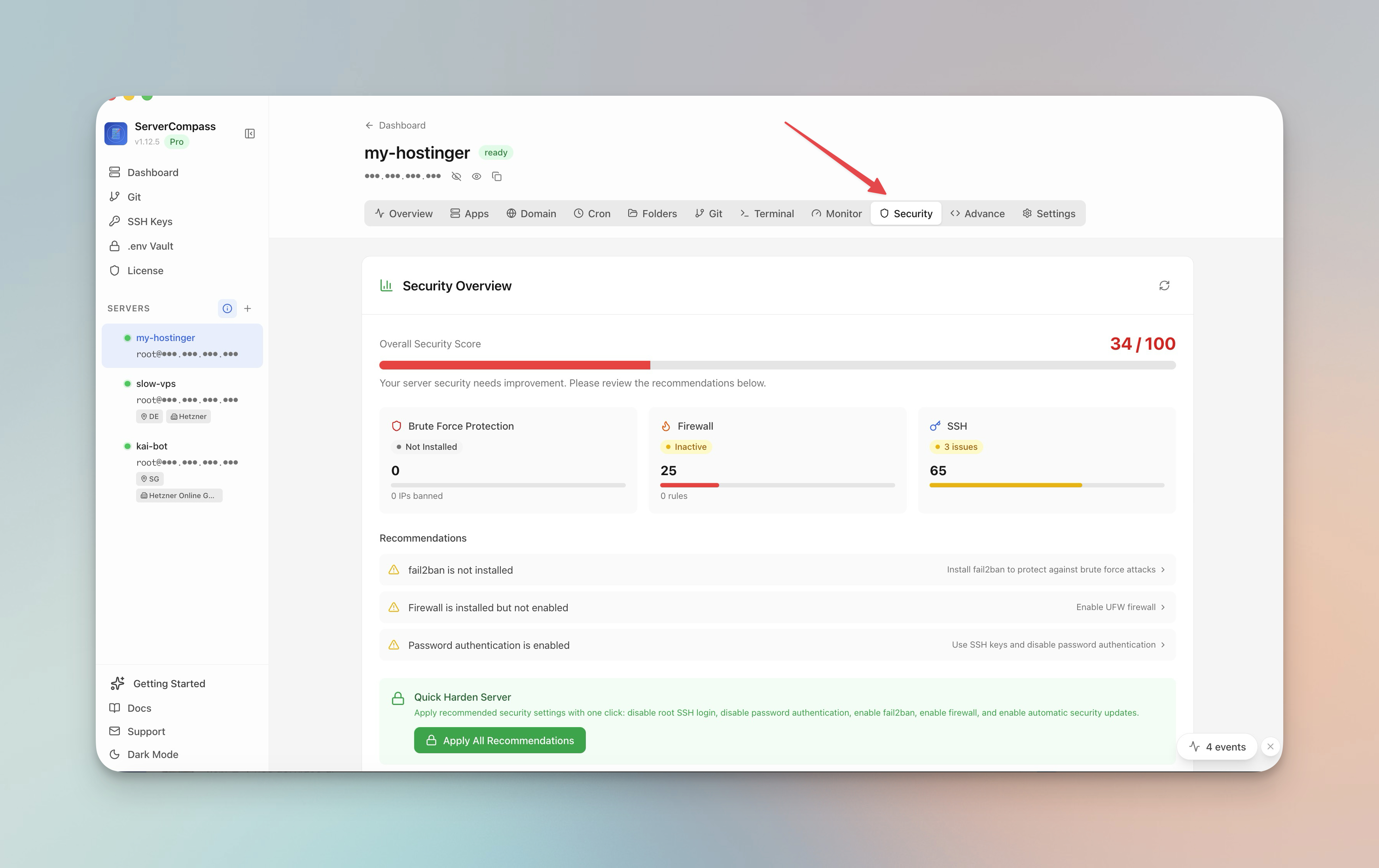
- Automated Security Audits — vulnerability scanning with a security score and hardening recommendations
- Automatic Security Updates — enable unattended patches with one toggle
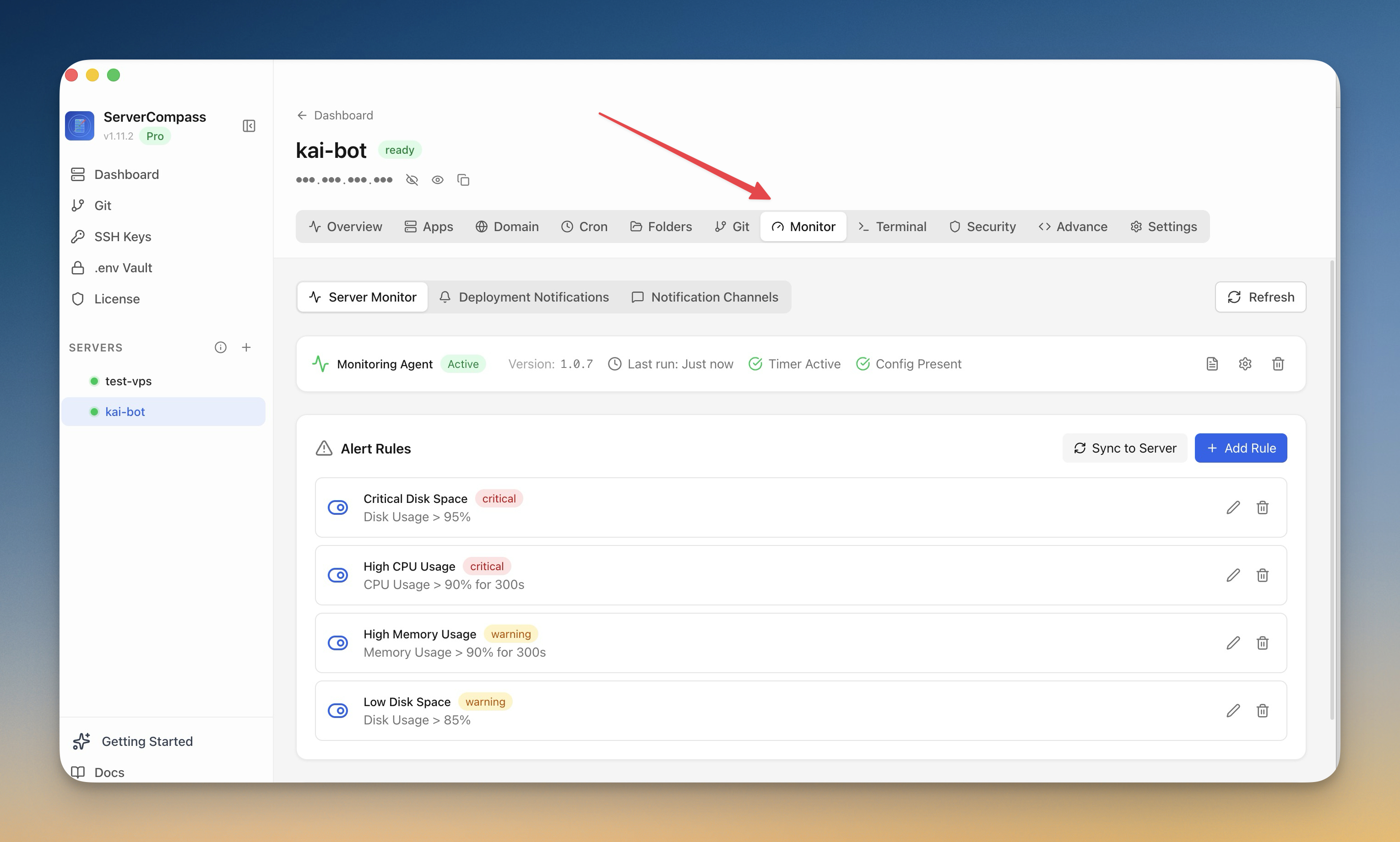
Server Monitoring & Alerts
Deploy a lightweight monitoring agent to your VPS and you get real-time CPU, memory, disk, and network metrics — straight in the desktop app.
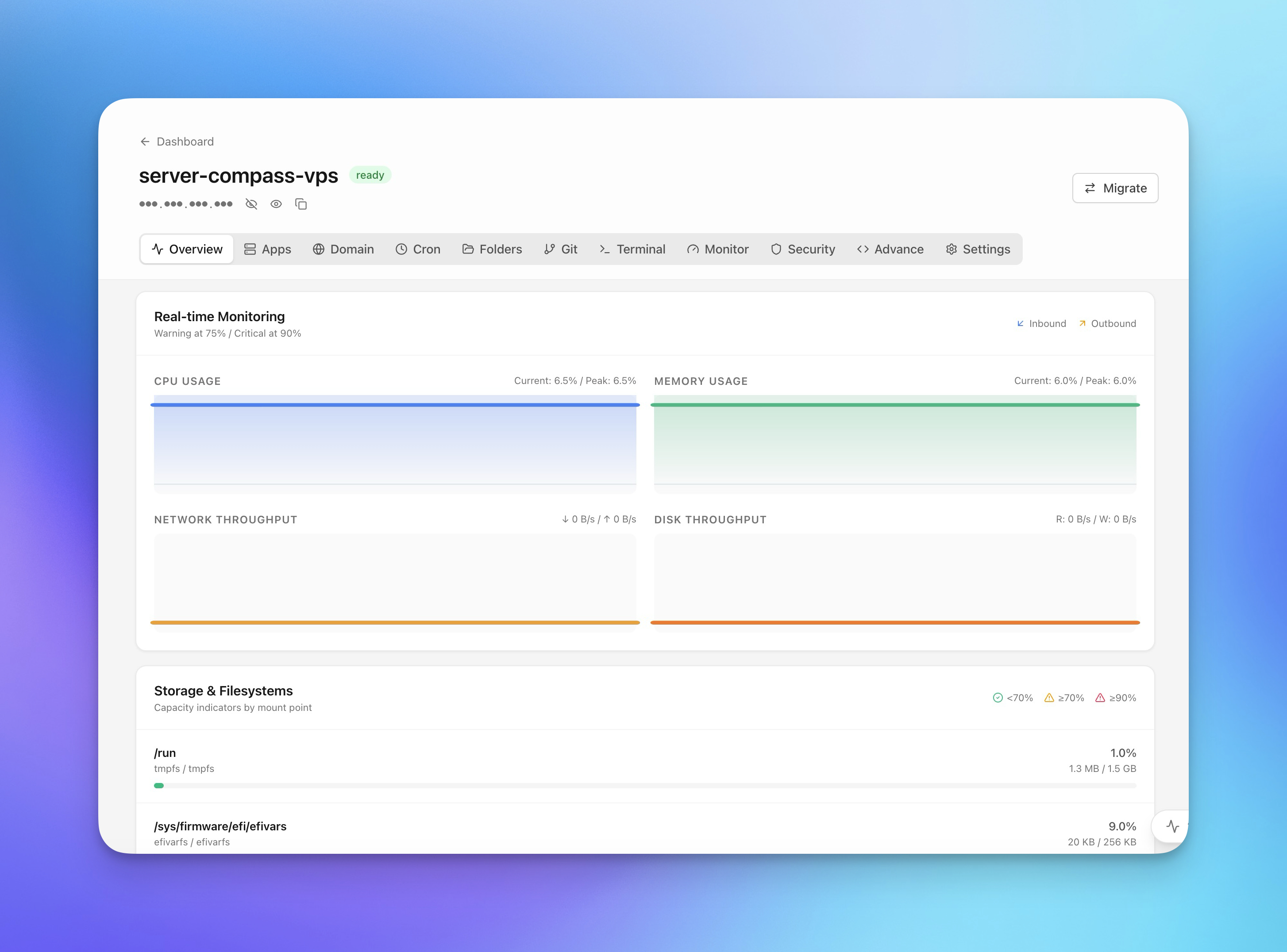
- Threshold-based alert rules for CPU, memory, and disk
- Notifications via Slack, Discord, email, and custom webhooks
- Quiet hours to silence alerts during maintenance windows
- Deployment notifications on start, success, or failure
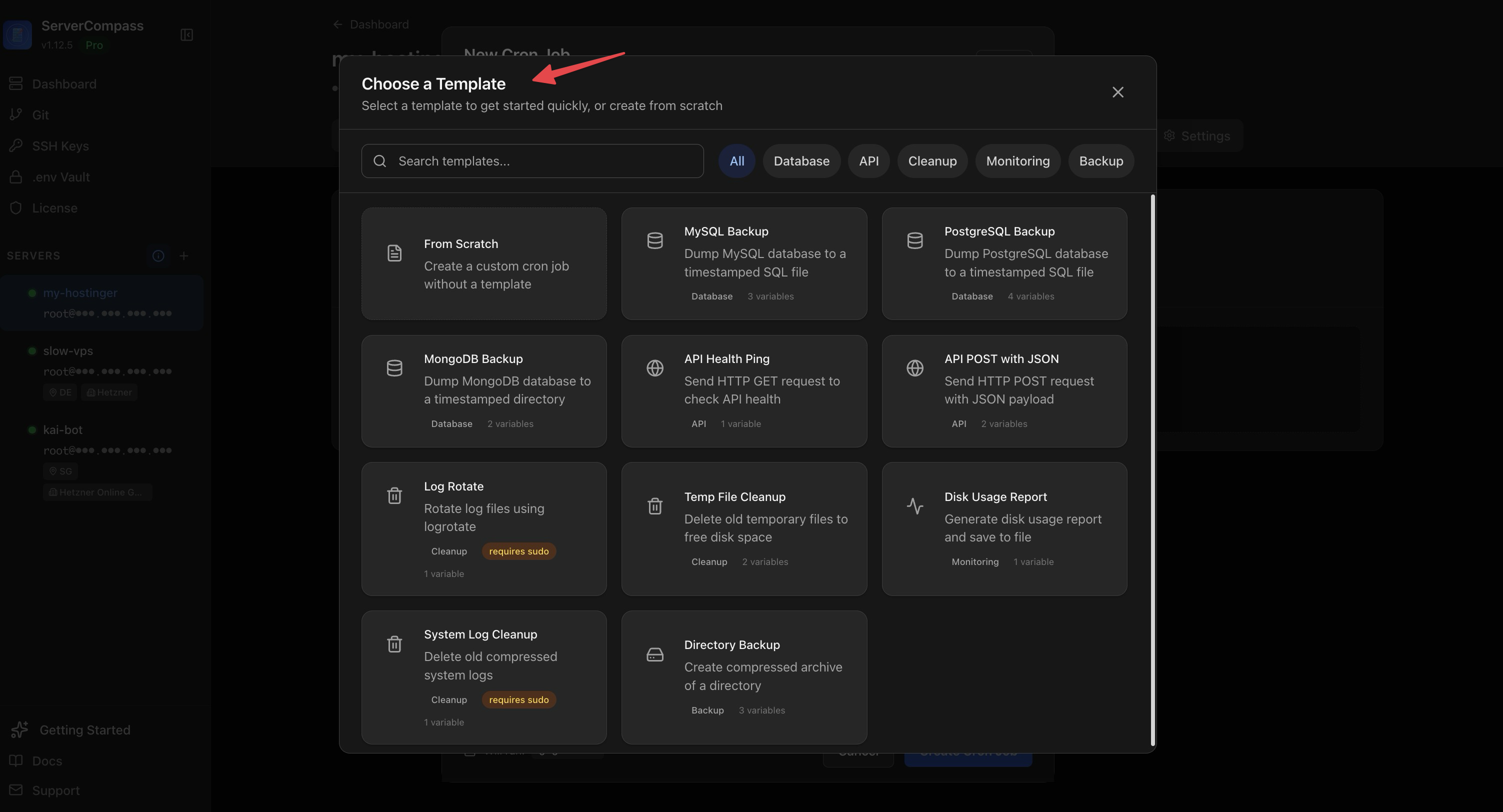
The Visual Cron Editor
A full GUI for managing cron jobs — something I genuinely have not seen in any competing tool. Sub-minute scheduling, presets, job templates, per-job toggle, log capture. No more memorizing cron syntax just to run a daily backup.
Database Provisioning & Admin
Spin up PostgreSQL or MySQL with auto-generated credentials in one click — toggle between public and internal access, set up CIDR allow lists.
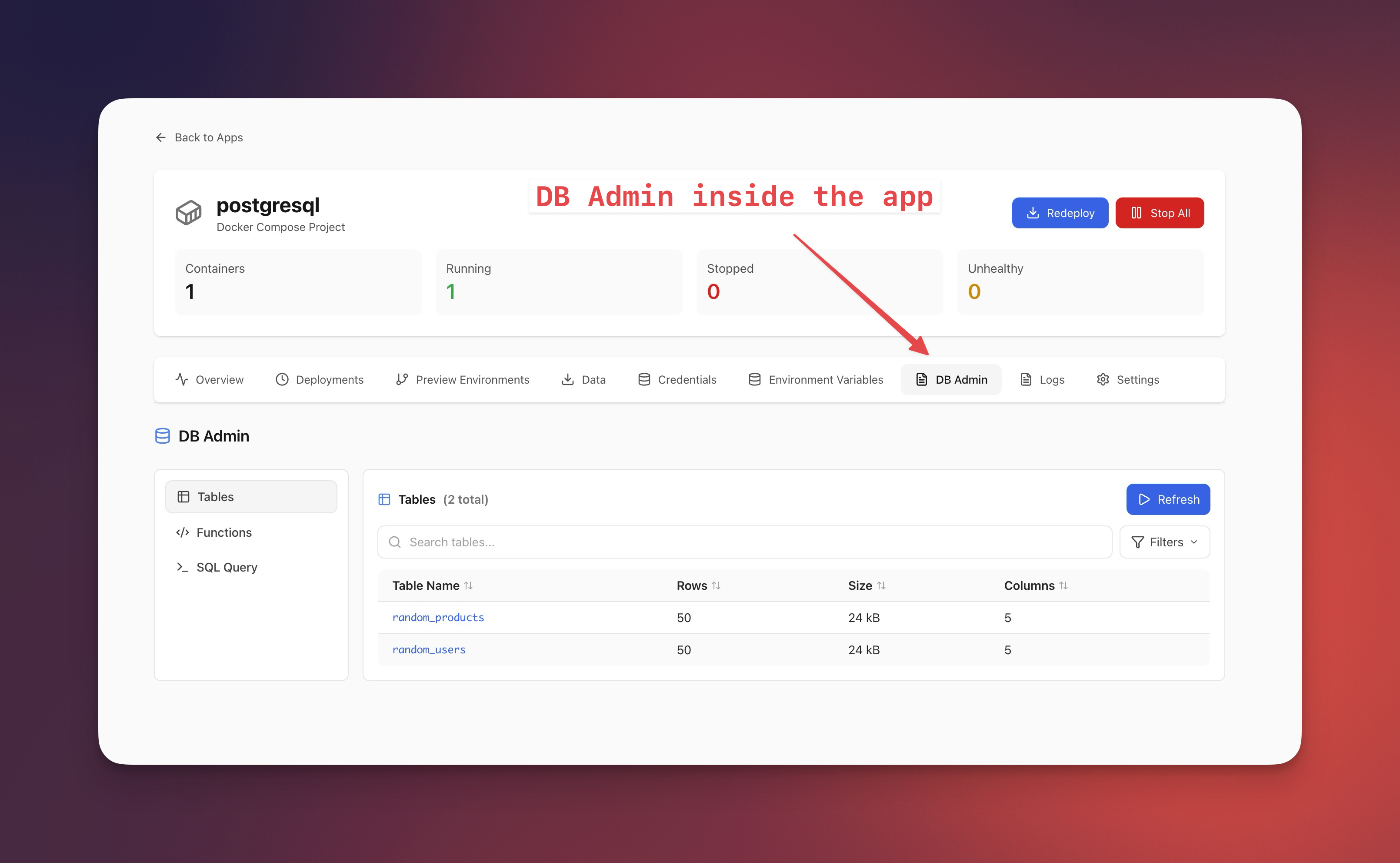
The built-in database admin panel supports PostgreSQL, MySQL, MongoDB, SQL Server, SurrealDB, Weaviate, and Elasticsearch. Browse tables, run queries, import/export data — all without leaving the app.
The Database Command Center provides pre-filled CLI commands for 12 database types, organized by task category and ready to copy-paste. It even auto-detects variants like TimescaleDB, Valkey, and ScyllaDB.
Backup, Restore, Migrate
This is the design decision I'm most proud of: you can export your entire server to an encrypted file.
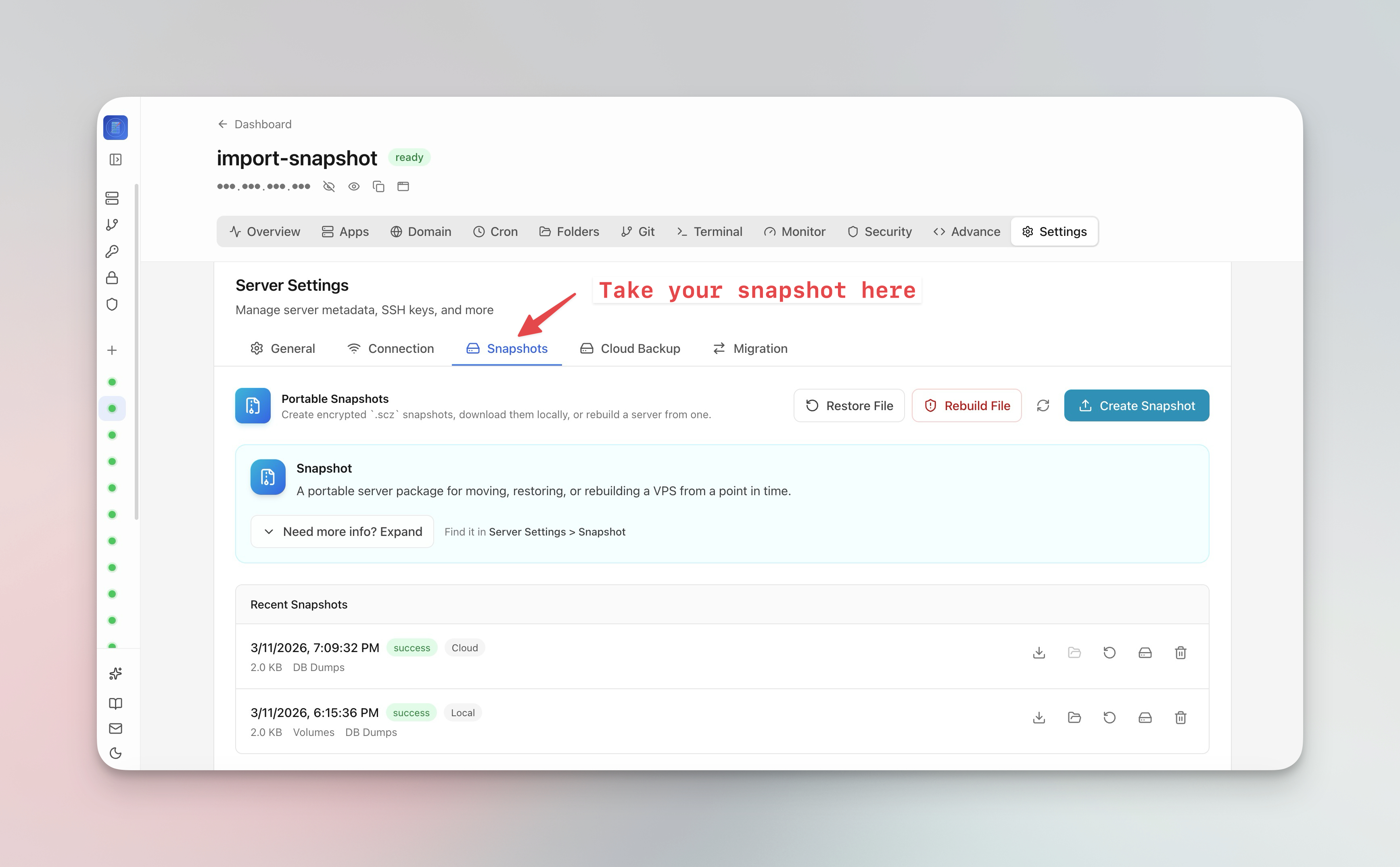
A snapshot includes Docker stacks, volumes, databases, domains, cron jobs, alert rules, and notification channels. Restore it to the same server for disaster recovery, or to a different server for migration or cloning.
For automated backups, schedule encrypted uploads to Amazon S3, Backblaze B2, Wasabi, Cloudflare R2, DigitalOcean Spaces, Vultr Object Storage, Hetzner Object Storage, MinIO, or any S3-compatible service. Set retention policies, browse backups with preview before restoring.
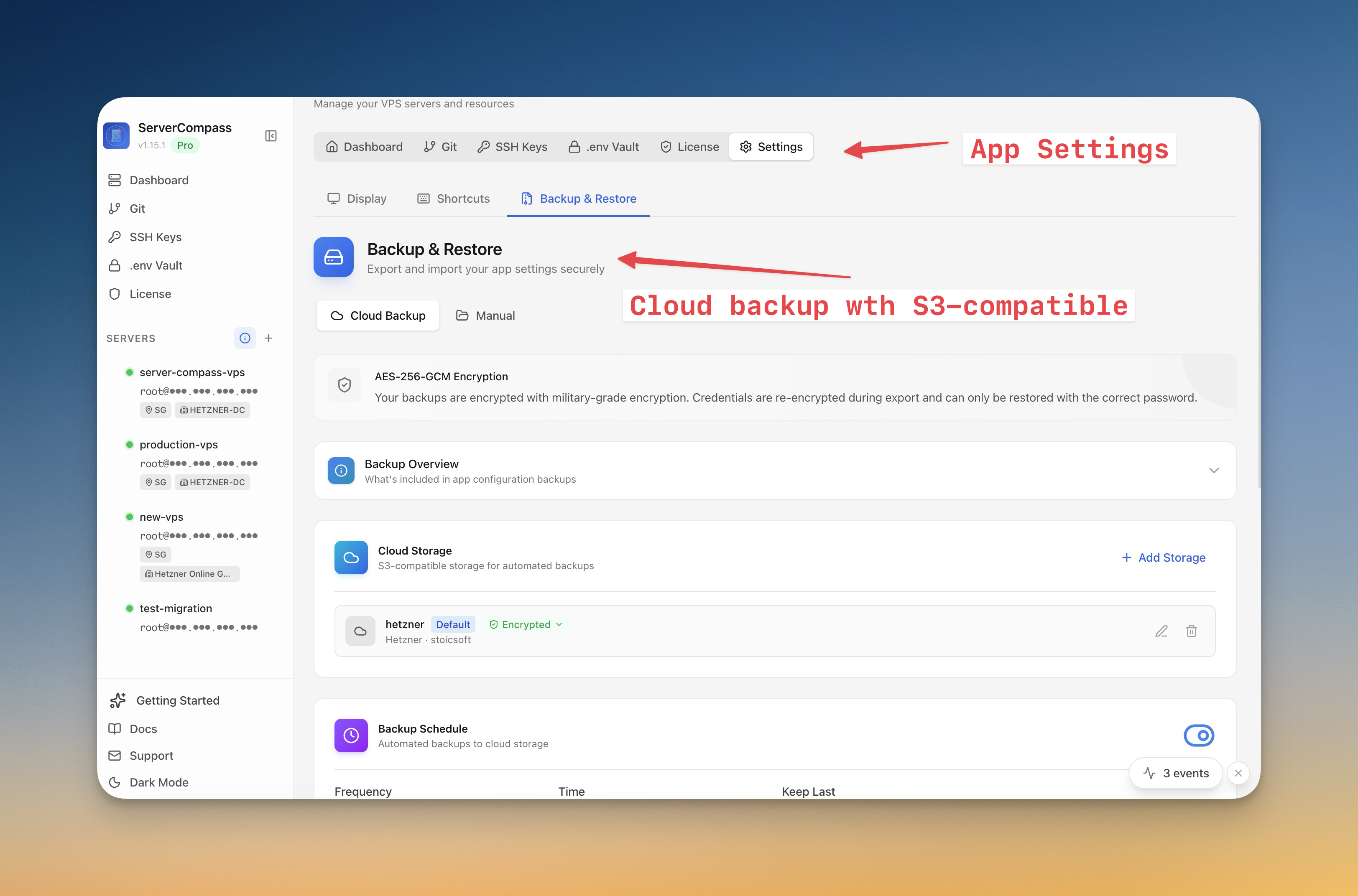
Cross-device sync lets you push and pull encrypted snapshots between your machines using your own S3 storage, with conflict detection and end-to-end encryption.
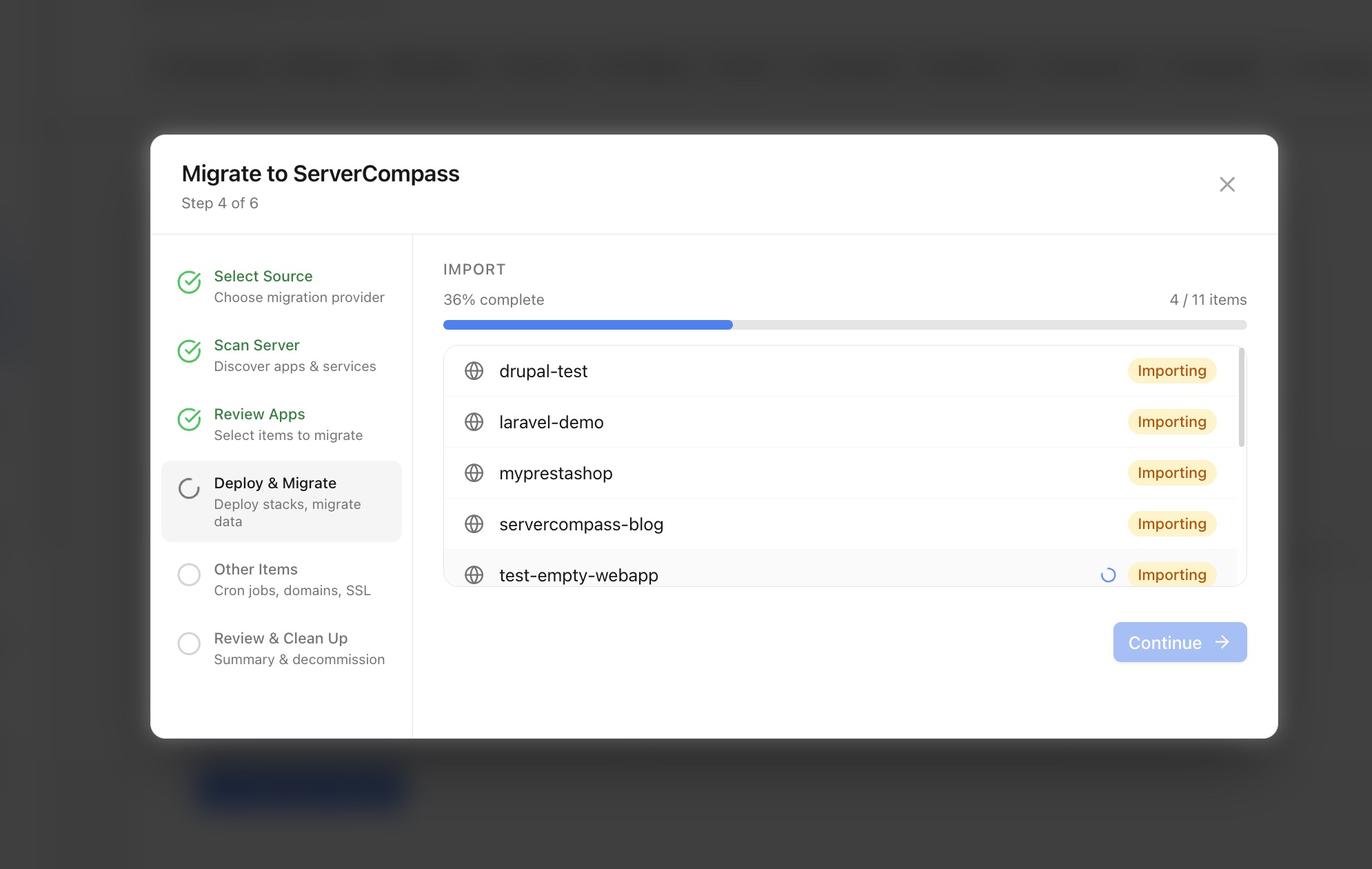
Migrating from RunCloud, Coolify, Dokploy, Laravel Forge, or a raw VPS? Server Compass scans your source server, auto-detects installed services, and walks you through a step-by-step migration wizard.
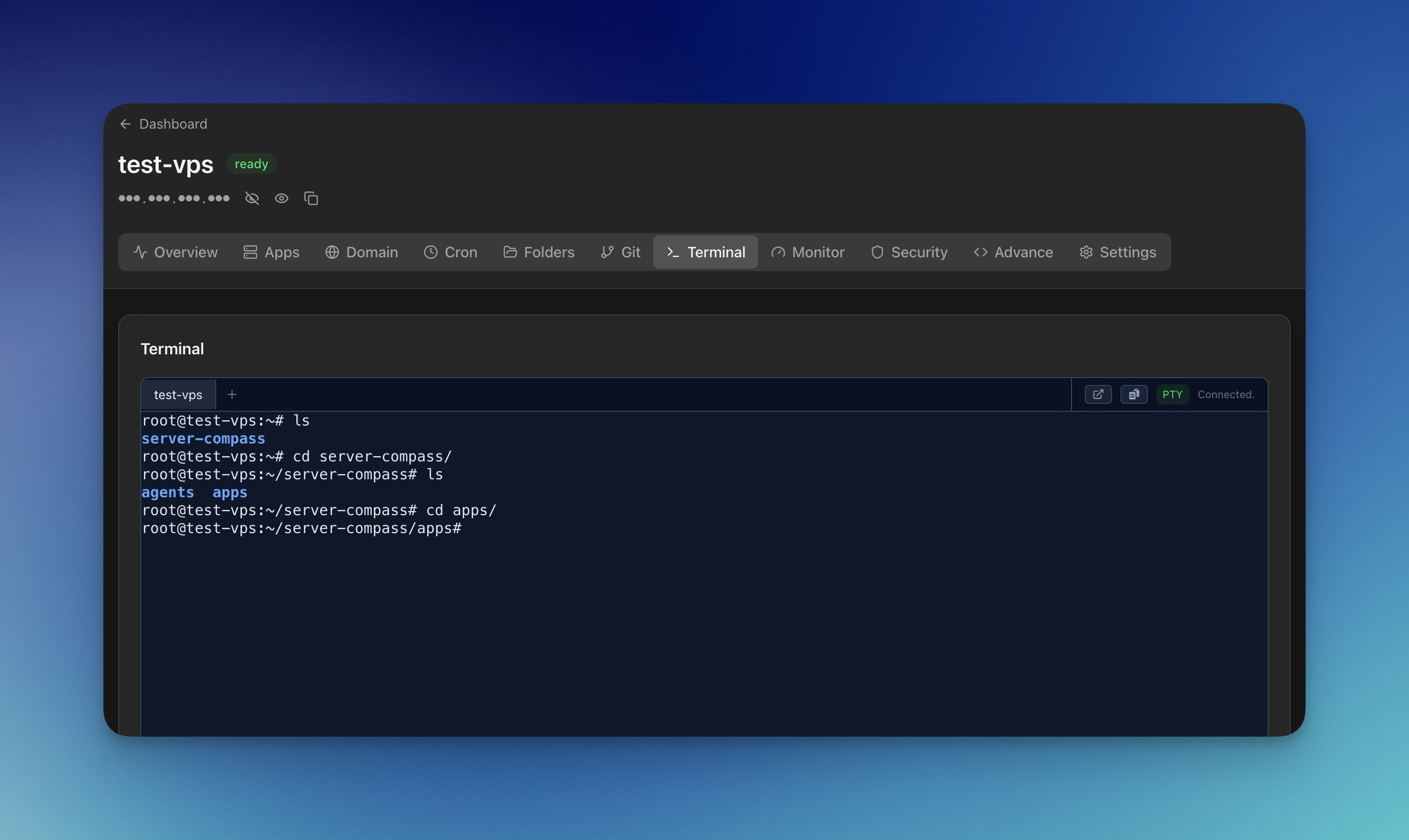
Built-In SSH Terminal & File Browser
A full interactive SSH terminal powered by xterm.js, with zoom control, pop-out window support, and command history. A remote file browser to upload, download, edit, and preview files. Every SSH command is logged with timestamps for debugging and compliance.
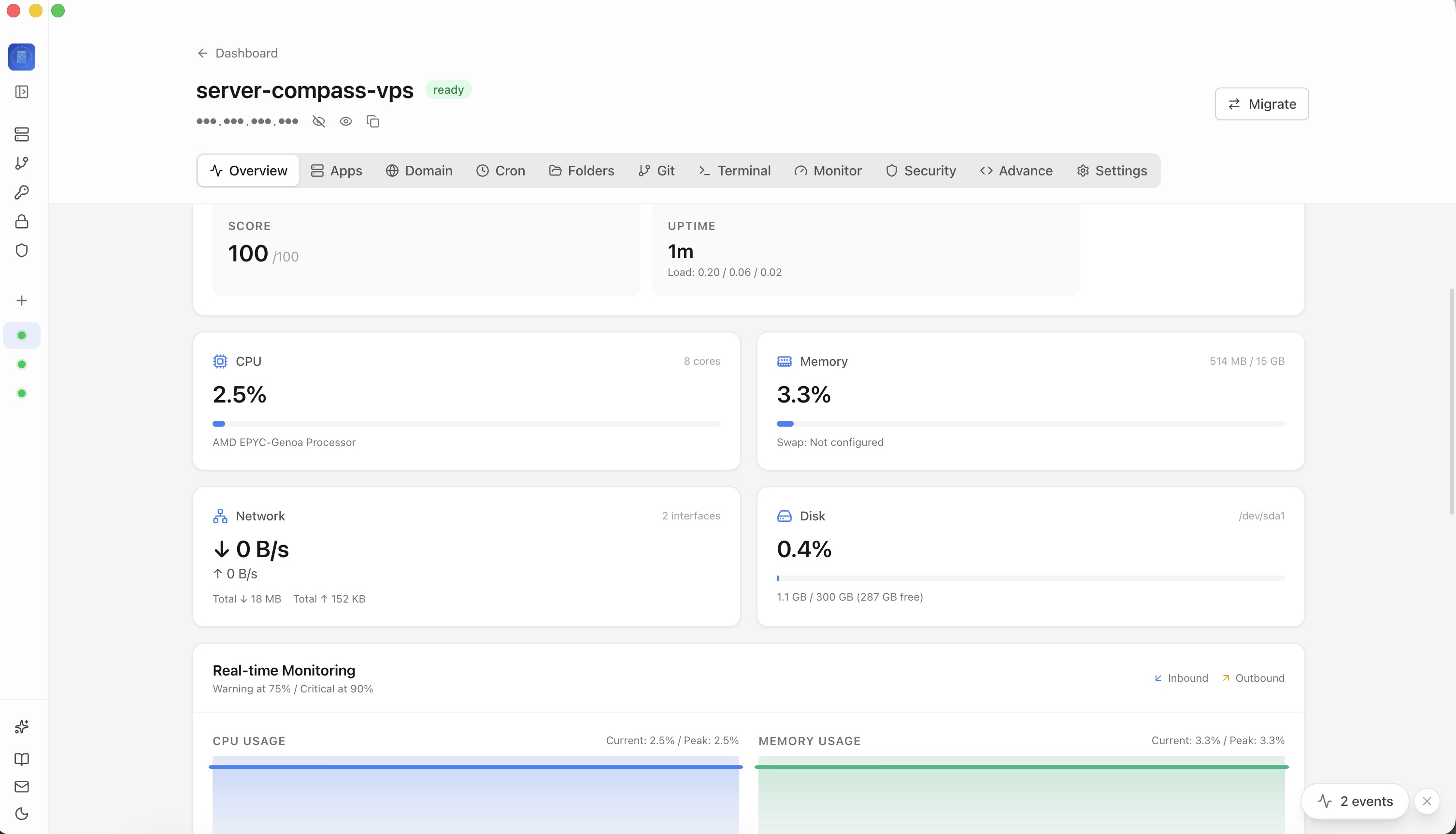
Server Overview at a Glance
Every server gets a single dashboard view: resource usage, running stacks, domains, SSL status, and recent activity. When you manage 5+ servers, this becomes the most useful screen in the app.
What Makes It Different
Offline-First Architecture
Server Compass stores everything locally in an encrypted SQLite database. Your server configurations, deployment history, credentials, settings — all available without an internet connection.
Zero Attack Surface
There's no web dashboard exposed to the internet. No management ports for attackers to probe. No login page to brute-force. Your server's only exposure is SSH, which you'd have open anyway.
Zero Server Overhead
Coolify needs 2GB+ RAM on your VPS. CapRover wants its own server. Server Compass runs on your laptop, leaving 100% of your VPS resources for your actual applications. Your $5 droplet stays fast.
AES-256-GCM Encryption Everywhere
Every credential, password, SSH key, and API token is encrypted with AES-256-GCM before being stored. The master key lives in your system keychain (macOS Keychain, Windows Credential Manager). Nothing leaves your machine in plaintext.
One-Time Pricing
No monthly subscriptions. No per-server charges. Buy once, use forever. PRO features remain available even after your update window closes — you just stop receiving new feature updates until you renew.
How It Compares
| Feature | Server Compass | Coolify | RunCloud | Vercel |
|---|---|---|---|---|
| Architecture | Desktop (offline) | Self-hosted panel | Cloud SaaS | Cloud SaaS |
| Annual cost | $29 one-time | Free + server overhead | $96–180/yr | $240+/yr |
| Server overhead | 0% | 10–30% (2GB+ RAM) | N/A | N/A |
| Offline access | Full | None | None | None |
| Templates | 247+ | 280+ | Limited | N/A |
| Security suite | Full | Basic | Firewall only | N/A |
| Credential storage | Encrypted local | On server | On their cloud | On their cloud |
| Cron GUI | Yes | No | No | No |
| Database admin | 12 types | Basic | None | N/A |
| Multi-proxy | Traefik, Nginx, Caddy, CloudPanel | Traefik only | N/A | N/A |
Who Is This For?
Indie hackers and solo developers — ship side projects and micro-SaaS on a $5 VPS. PaaS-level convenience without Vercel's $20+/month bills or vendor lock-in.
Freelancers and small agencies — manage multiple client servers from a single dashboard. Quick provisioning for WordPress, Ghost, and database-driven sites. Centralized credential management.
Self-hosters and privacy advocates — run your personal cloud (Nextcloud, Immich, Vaultwarden, Jellyfin) from a desktop app that keeps your data encrypted and offline. 247+ templates cover the entire self-hosting ecosystem.
Small DevOps teams — standardize deployments across multiple servers without Kubernetes complexity. CI/CD, monitoring, alerting, and security audits built in.
Get Started in Under 5 Minutes
- Download Server Compass for macOS, Windows, or Linux
- Add your VPS — IP address, SSH credentials, connect
- Provision — one-click Docker and Traefik setup
- Deploy your first app — from Git, templates, local folder, or registry
- Add a domain — verify DNS, get automatic SSL
Free tier: 1 server, 1 deployment, 1 domain. The PRO license unlocks everything for a one-time $29 — no recurring fees, no per-server charges, no surprises.
Navigate your server infrastructure with ease.
If you've been paying $240/year for Vercel just to host a side project, this is the moment to take that money back.
Related Posts

1DesignTool: AI Design That Works With Any Coding Agent
Design with the coding agent you already use, let the AI review its own work, then apply the design straight into your SwiftUI, React Native or Vue code.

1AIVault: A Local Second Brain That Every AI Tool Shares
I was tired of copy-pasting context between Claude Code, Codex and OpenCode. So I built 1AIVault: one local memory vault that every AI tool reads over MCP.
Accidentally Building a Blogging Platform
I hadn't written blog posts for a long time and realized I was too dependent on AI. To rebuild my writing habit and think more clearly, I decided to build a writing platform: write.rocks.

Game Theory in the AI Era: When Machines Join the Game
An analysis of the intersection between Game Theory and artificial intelligence, explaining how AI is changing Nash equilibrium principles and optimal strategies. The post includes real-world examples of applications in business, transportation, and cybersecurity.

Finding Foreigners to Speak English With
Guide on finding foreigners to practice speaking English, introducing platforms like Paltalk with 24/7 online learning rooms managed by Vietnamese people in America. The author explains the importance of practicing with native speakers to overcome fear and improve listening and speaking skills.

'Can I Do This?' - The Dumbest Question in the Solar System
Analysis of the psychology behind the common 'can I do this?' question in programming communities. This post explains why this is an ineffective question, reflecting a mindset of avoiding challenges and lacking confidence. Instead of asking 'can I do this?', learners should focus on experimenting, learning from failure, and developing proactive learning attitudes.