1AIVault: A Local Second Brain That Every AI Tool Shares
I was tired of copy-pasting context between Claude Code, Codex and OpenCode. So I built 1AIVault: one local memory vault that every AI tool reads over MCP.

I use a lot of AIs every day: Claude Code, Codex, OpenCode, Grok. And every day I lose a silly amount of time copy-pasting context from one AI to another.
A few examples you might know too:
- A decision I settled with Claude Desktop last week? Codex has no idea.
- A bug I spent two hours fixing with Codex? Claude Code happily suggests the exact approach that already failed.
- A topic I brainstormed in OpenCode, with a full PRD at the end? If I want Codex to implement it, I copy and paste the whole thing over by hand.
I got fed up, so I built 1AIVault.
The idea: one vault, every AI reads the same memory
Note-taking apps already exist. Obsidian and Notion do that well. The point of 1AIVault isn't "a place to store notes". The point is that your AI fetches memory and writes memory by itself, while it's working. You stop being the clipboard between your tools.
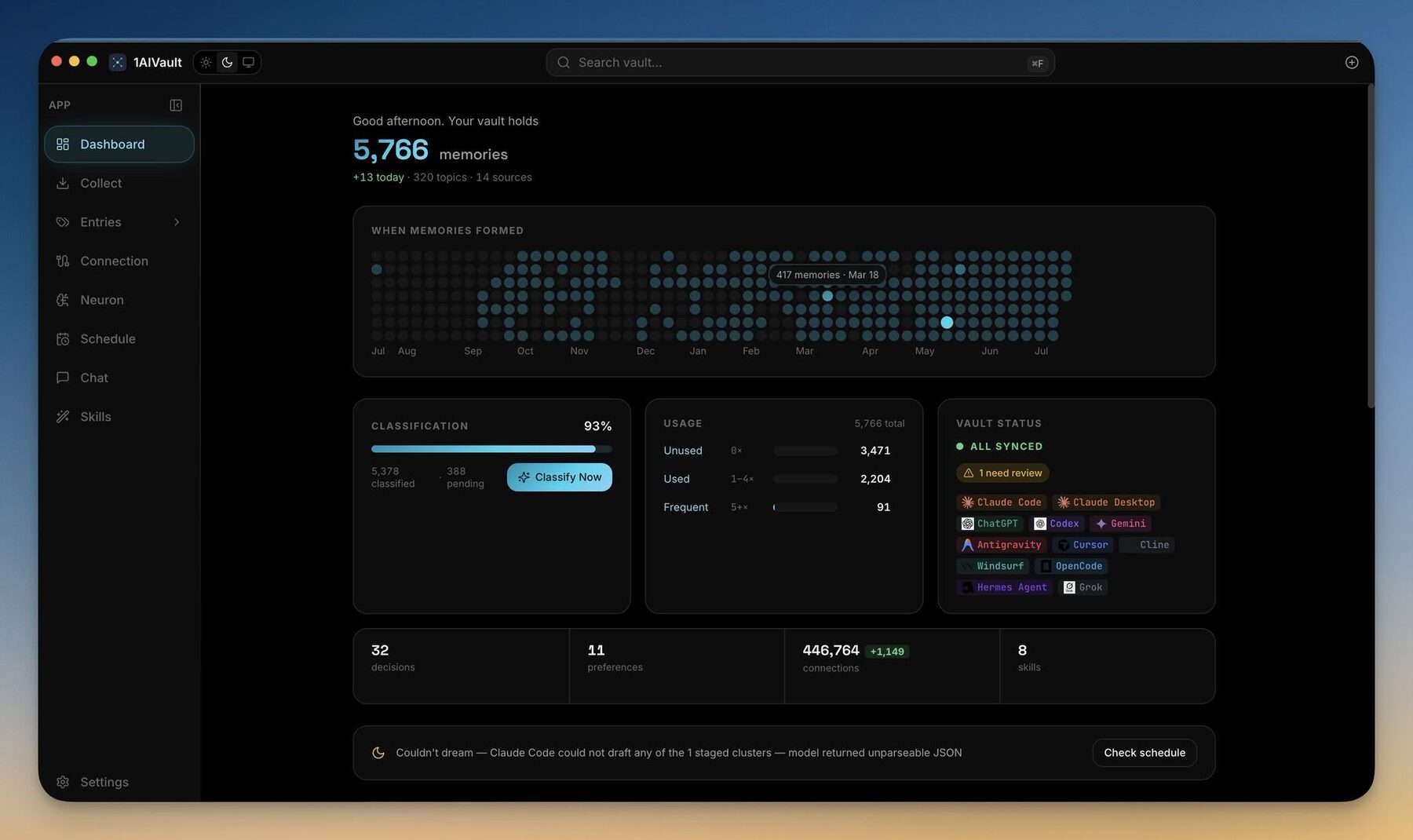
How it works
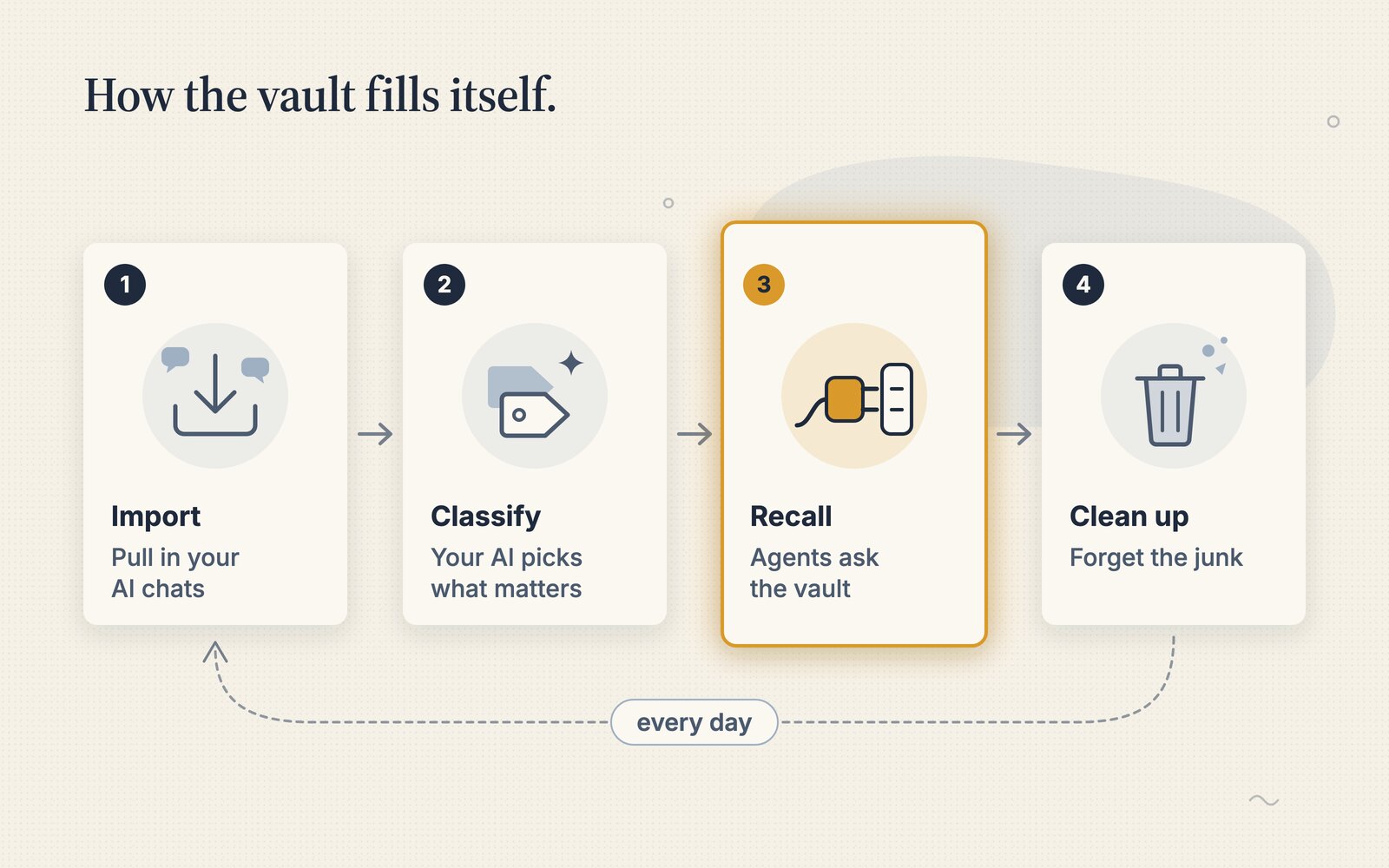
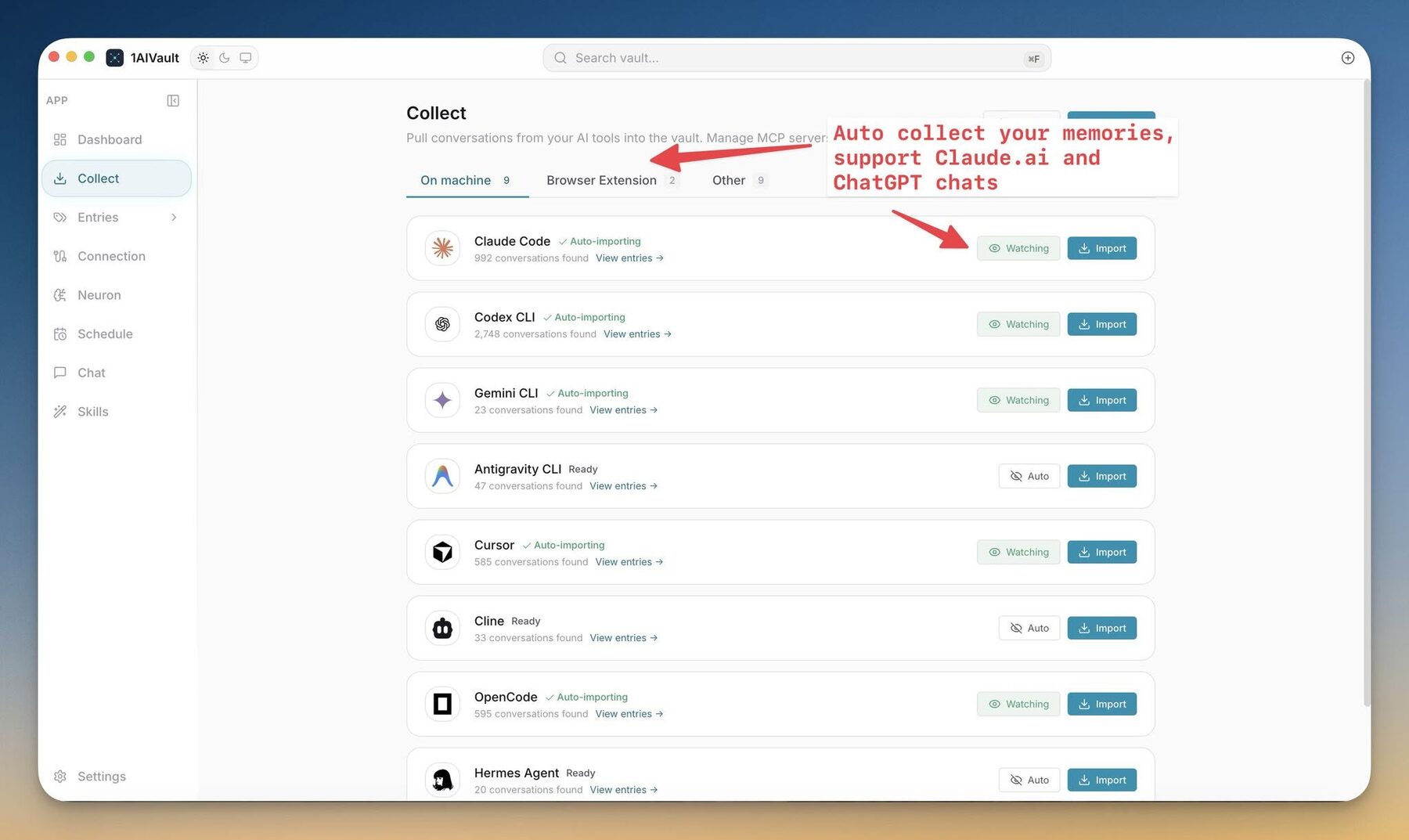
1. Import. The vault pulls in your chat history from Claude Code, Codex, Cursor, Cline, Gemini and Grok, plus Obsidian notes, CLAUDE.md files and Notion. Claude Desktop and ChatGPT are supported too. So on day one the vault is already full of your own data, not empty.
2. Classify. The AI CLI you already have installed reads those chats, keeps what's worth remembering, and groups it into topics. You only review. No manual tagging. Each topic gets a timeline of every related entry.
3. Recall. The vault runs its own MCP server. One click installs it into Claude Desktop, Claude Code, Cursor or Cline. From then on the AI asks the vault when it needs context, and you don't have to explain things again.
4. Clean up. Forget and tidy memories, so junk sessions you'll never need don't pile up.
Three features I like the most
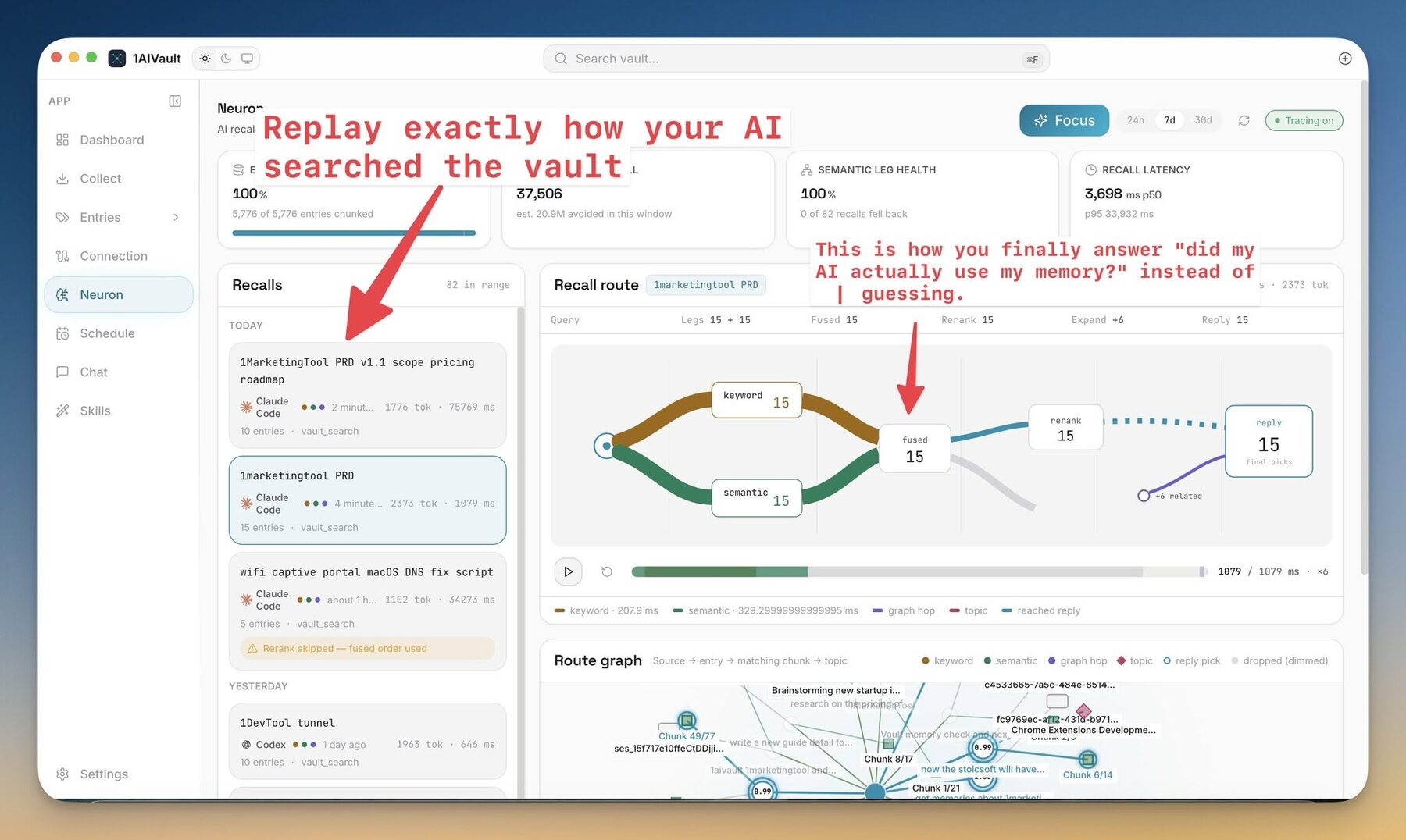
Neuron. It replays what your AI searched for, which memories it picked, and which ones it dropped. This finally answers the question "is my AI actually using my memory?", instead of guessing.
Dreaming. At night the AI merges duplicate memories and links related ones. In the morning you read a "dream diary" of what changed, and every change can be undone with one click. (Yes, my app dreams more regularly than I sleep.)
Memory Passport. Compile your profile and paste it straight into ChatGPT or a claude.ai Project, for tools that can't install an MCP server. You can also share memories with a friend or a teammate.
What's not there yet
Being honest:
- No mobile app yet.
- Classify and Dreaming both rely on the AI CLI you already have. I deliberately didn't bundle a local model, because asking every user to set up Ollama takes a lot of time.
Pricing
At the time of writing:
- Free forever up to 2,000 memories and 50 topics. A real free tier, not a 7-day trial, and reading is never blocked.
- Pro: $29 one-time for 1 machine, $59 for 3 machines. No subscription.
It's local-first: your data lives in ~/.1aivault on your own machine. Works on Mac, Windows and Linux. Download it at 1aivault.com.
Same philosophy as my other apps
1AIVault is my third product, after 1DevTool and Server Compass. Same philosophy for all three: pay once, your data stays on your machine, and it reuses the AI CLIs you already have instead of selling you another AI subscription.
If you run several AI tools side by side and keep losing context between them, give it a try and tell me what breaks. I build in public every day and I read every piece of feedback.
How do you move context between your AI tools today? Copy-paste like I used to?
Related Posts
Discover more content you might enjoy

Design with the coding agent you already use, let the AI review its own work, then apply the design straight into your SwiftUI, React Native or Vue code.
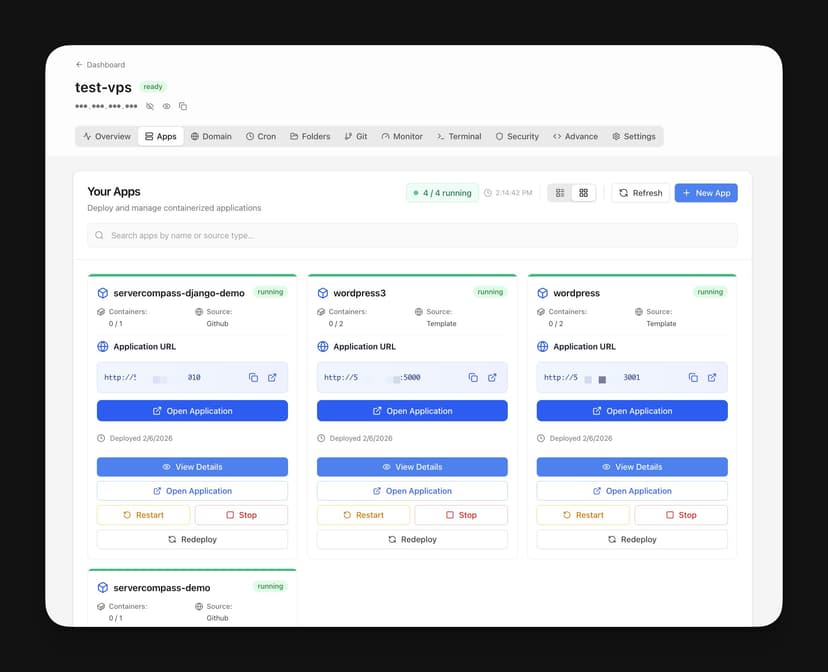
I was tired of paying $20+/month for Vercel and Railway, but also tired of self-hosted panels eating 2GB of RAM on my $5 VPS. So I built Server Compass — a desktop app that connects to any VPS over SSH and gives you the full power of a managed PaaS, with zero server overhead and one-time pricing.
Accidentally Building a Blogging Platform
I hadn't written blog posts for a long time and realized I was too dependent on AI. To rebuild my writing habit and think more clearly, I decided to build a writing platform: write.rocks.

An analysis of the intersection between Game Theory and artificial intelligence, explaining how AI is changing Nash equilibrium principles and optimal strategies. The post includes real-world examples of applications in business, transportation, and cybersecurity.

What Did You Do Today?
A reflection on the value of time and how we use each day. I ask 'What did you do today?' to encourage living fully in the present with the spirit of 'Carpe diem', while reminding us that time is something we understand clearly but cannot control.

Minimalist Living with Under 7kg of Luggage
Sharing my experience and benefits of traveling with minimalist luggage under 7kg. From bringing lots of baggage on a cross-Vietnam trip to just a small backpack for Bali, and the benefits like saving luggage fees, quick check-in/check-out, easy mobility, and developing efficient item usage habits. Plus a list of essentials for minimalist travel.